Hands-On Tech 287 Transcript
Please be advised that this transcript is AI-generated and may not be word-for-word. Time codes refer to the approximate times in the ad-free version of the show.
Mikah Sargent [00:00:00]:
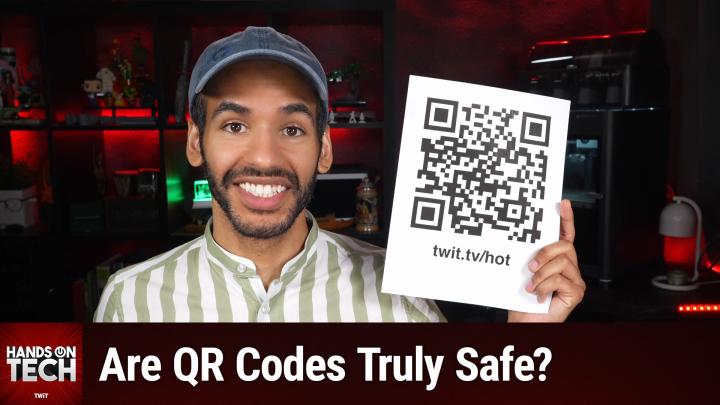
Coming up on Hands-On Tech, can pointing your phone at a QR code really get it hacked? Stay tuned. Hello and welcome to Hands-On Tech. I am MIkah Sargent, and today we are taking your tech question and, well, we're answering it. I am really once again pleased with today's question because I think it's something that Many tech-minded folks may go, you know, I don't know, I don't think it's a big deal. But it is one of these questions that exists kind of in the space of, of what is going on there. Is this something that I need to be worried about? So let's stop talking about it and let's actually get to it. Right.
Mikah Sargent [00:00:53]:
The question is from Barry. And Barry writes in and says, hey, MIkah, My daughter won't scan a QR code anywhere. Not the menu at a restaurant, not the sticker on a parking meter, because she says that's how people get their phones hacked. I have been scanning them for years without a second thought, and now she's got me nervous. Is there anything in a QR code that can hurt you, or is the danger somewhere else entirely? And what should a person actually look at before scanning one out in the wild? Barry from Charleston, West Virginia. Well, Barry, Very good question. And of course, I like to start with the short answer, which is that don't you worry, the QR code can't hurt you. Nothing in the QR code itself can hurt you.
Mikah Sargent [00:01:39]:
It's just a printed line of text, essentially, that comes out of the QR code. And typically, these QR codes are to web addresses. So when you scan that code, It reads the code, and then the output of that code is potentially dangerous because it's the page that it sends you to and what you type or download once you get to that page. That is what makes it dangerous. So yes, Barry, the short answer is That while nothing in a QR code itself is harmful, what comes out of a QR code and where it puts you next is what actually makes it harmful. Let's kind of dig into this, right? This is a little confusing when it comes to kind of, again, like, I understand it's a web address. It's not really a, like an app or a program or something like that. So what is in a QR code? Well, a QR code, it's a barcode of a different type that stores text.
Mikah Sargent [00:03:02]:
Turns out, this was fun, I got to look into it, introduced in 1994 by Denso Wave and then was adopted by the automotive industry as a means to track parts as they moved through production. I've got a link to the Denso Wave history of the QR code. And there are different sizes for QR codes, okay? The biggest type of QR code can hold 2,953 bytes of data. That's roughly a page of text, right? You know, reading a page in a book. And the fact is, most of the codes that exist, they don't actually have more than that. They hold a single web address. There's not some sort of program that runs the moment that you scan. All it can do is read the text and then show that text to you.
Mikah Sargent [00:03:58]:
So what we might assume is that scanning it means that some sort of code can be executed on the device. But really what's inside is just a line of text, a web address. And so it depends entirely on how your phone interacts, right, with that line of code. What happens though when you scan the page? Well, pointing the camera at the line of, at that QR code, the camera's going to read the text and then it's going to, you know, find some way to sort of give you what that code is telling you. So you point the camera at the code, the phone decodes the text, it shows you a preview. This could be like a link bubble that you get on an iPhone if you hold up your camera and pop it or bop it, a banner on Android. But then at that point, nothing really happens. Nothing opens until you decide to tap, right? That's the choice that you make.
Mikah Sargent [00:05:00]:
You are the one who's making the choice to tap. And when you do, well, things can happen because they'll take you to a webpage, right? And that webpage is just like any other link. That webpage is just like any other issue that you might have. When you go to that page, that is where the risk is. That is where if you have a fake payment page that takes your card number, a fake sign-in page takes your password, a push to download an app or a profile— ooh, especially profiles, those are really scary and are not good. And codes, by the way, these QR codes, they can have a phone number, a text message, a contact card. They could even have a Wi-Fi login. But each one of those requires you to tap first.
Mikah Sargent [00:05:49]:
It's not embedded malware. The FBI and the FTC, they do warn you that, uh, that QR codes can lead to malware, but they don't have embedded malware. The code doesn't have it in it. It's just a link, but a link to potential malware. I will say, I want to make it clear though, there are some places where that's not 100% true. If there was a flaw in the phone's software, then it could in theory be used to trigger a malicious page, right? So if there was something wrong in the code, the right code could potentially cause your phone to misbehave. And that is why the FTC says that it's important to keep your phone updated. Third-party scanner apps are also a problem.
Mikah Sargent [00:06:39]:
It turns out in 2020, a barcode scanner app on Google Play with 10 million installs actually turned into adware after a single update. But it wasn't the QR code, it was the app that was the threat. And so it didn't really matter what code you scanned. So what do you do to fix that? Well, use the scanner that's already built into the camera. You don't need a separate app for that. Now, there was the mention of the parking meter, and I want to talk about that because fake codes do show up in different places. They show up in stickers on parking meters. Uh, it's, it's got a name.
Mikah Sargent [00:07:17]:
This, this scam, it's called quishing, which is where you quish together QR and phishing. So scammers will print their own code on a sticker and then slap it over the real one, or they stick it on a parking meter that never had one in the first place. The FTC has more about that. Again, we'll include a link in the show notes. Also, in Asheville, North Carolina, they pulled about 20 fake stickers off of parking meters, and the city just had to say, look, we don't even use QR codes on our parking meters at all. New York City's Department of Transportation, yeah, same alert, pointed people to the official Park NYC app and said, you know, you could do that, or you can just use the meter itself. And of course, like, yeah, you— just the other day I was in a parking garage and I scanned a code and I thought, you know, maybe I should just go get the app instead. A restaurant menu, that's a different thing, right? Typically, it's just going to show you the menu.
Mikah Sargent [00:08:17]:
If it does ask you to put in your card details, that is where you maybe look at a red flag. There are other places the QR codes can show up, emails and texts. So if those pop up saying, you know, we couldn't deliver your package or confirm your account or change your password, that is We know now what we have to look out for. They call it manufactured urgency. That is where it tries to sort of get you to do something because something seems wrong, and they sort of ignite that fear, that worry within you. A QR code in an email, well, that could also slip past, like, link scanners that usually look at text links. That's why they use them instead. Even iMessage can look at text links and make sure that that links that have malicious intent are blocked from being able to display as tappable links.
Mikah Sargent [00:09:14]:
Unsolicited packages is another place where that might happen. So you can see like a note on it says, hey, scan to see who sent this to you. And that's a form of what's called brushing. And we'll link to that in the show notes as well. So if you're looking for a rule of thumb, If the code literally came to you, if it was sent to you, it's probably not a good idea to scan it. Just go to the company's site or go to the app yourself and download it that way. So what do we do? What do you do before you tap on the text, the link, whatever it happens to be on the other side of the QR code? Well, You can try to figure out if it's a sticker that's stuck on top of something. Does it look like it was added? If it was, then walk away and find a different way to pay.
Mikah Sargent [00:10:08]:
Okay. You can also, of course, when you scan it, just look at the preview and see what the address says. I like to actually copy the address, paste it in like Notes or somewhere else. and then look at the full thing and see. Look for misspellings, look for swapped letters. There are legitimate codes that do use sort of like redirect services, bit.ly or something like that. So you may need to use a, what's called a URL resolver or a short link resolver. You can look that up, do a search for it online, and that will tell you what's on the other end of one of those.
Mikah Sargent [00:10:50]:
But an unfamiliar name that's on a payment page, is something that you probably don't want to mess around with. You can also try to ask, what does it want? If it's asking for money, a password, an app download, go the long way to do it. Type your address instead. Type the address instead. Open the official app. And then of course, as I mentioned, manufactured urgency. If it's rushing you, that's the tell. Don't.
Mikah Sargent [00:11:20]:
Don't let it rush you. If you did scan a code that wasn't a good code to scan, look, scanning a code and then deciding to close the page, that's usually not an issue, right? You're almost certainly going to be okay, right? However, if you scan the code and on the site you decided to type in a password Change it. And if you're not using different passwords in different places, well, you gotta go change it there too. Did you type your card number in? Well, you need to call your card company, and you also need to keep an eye on your statements. And last but not least, be a good citizen and report the fraud. You go to reportfraud.ftc.gov. And don't forget to tell the city. Don't forget to tell the business about the sticker.
Mikah Sargent [00:12:14]:
You know, It's really nice to make sure that other people are not impacted by this if you can help it. Let's get to the verdict. Who's right and who's wrong here? Well, I have to tell you, Barry's right in that scanning a code can't hack a phone because those little squares, they don't do anything. But your daughter's instinct is right when it comes to money changing hands or codes being typed in or URLs being visited that seem off. The parking meter is exactly where these scams live. So frankly, it's a bit of a split decision because you're both right. You scan the menu, sure, but skip that meter sticker and then pay through the app or, you know, pay through the machine. Bottom line is a QR code is just a link in disguise.
Mikah Sargent [00:13:15]:
And if you keep that in mind, it becomes a little bit easier to understand kind of what it's meant to do and what it can do. Scanning it is safe as long as it's just reading a web address off of a poster, but the web address that takes you to the site, and that site could have something that's wrong with it. So read the preview before you tap, treat stickers on parking meters and codes that arrive in your inbox with suspicion, and of course, use the camera's built-in scanner. Don't use a third-party app if you can help it, and keep your phone updated. Thank you so much for writing in with your question. I loved it, loved answering it, and I hope I was helpful. Uh, folks, this will bring us to the end of this episode of Hands-On Tech. I want to thank you all so much for tuning in.
Mikah Sargent [00:14:03]:
Appreciate you. And of course, I'll be back next week with another episode. But until then, goodbye. Bye.