iOS Today 807 Transcript
Please be advised that this transcript is AI-generated and may not be word-for-word. Time codes refer to the approximate times in the ad-free version of the show.
Mikah Sargent [00:00:00]:
Coming up on iOS today, Rosemary Orchard and I, Micah Sargent, talk about the other things Apple announced at wwdc. Stay tuned.
Rosemary Orchard [00:00:11]:
Podcasts you love from people you Trust.
Mikah Sargent [00:00:16]:
This is TWIT. This is iOS Today, episode 807 with Rosemary Orchard and me, Micah Sargent. Recorded Tuesday, June 16, 2026 for Thursday, 6-18-20. What's new in Watchos, TVOS, iPados? Hello and welcome to iOS Today, the show where we talk all things iOS, iPados, Watchos, HomePod, OS and all the other platforms that Apple has to offer us. We love to tell you about them and help you make the most of your devices. I am one of your hosts. My name is Micah Sargent.
Rosemary Orchard [00:00:55]:
And my name is Rosemary. And I'm here to help you folks keep watch of over what's coming soon, including in CarPlay. Maybe we'll see how far we get today.
Mikah Sargent [00:01:04]:
Yes, so as I mentioned, WWDC has come and gone at this point, but that means that we've had the opportunity to start to pull apart the updates, figure out what's new, figure out what's changed, and really kind of dig in. And even before we get into what's happening in WatchOS, et cetera, I wanted to ask Rose, Mary, you in, you are in the uk, but you're not in the eu. Does that mean that as a beta user you would have access to New Siri or Siri AI? And if so, did you join the wait list? And if so, have you gotten in yet to New Siri?
Rosemary Orchard [00:01:54]:
Well, so I am not in the eu, as you rightfully point out. I'm not at all better about that part, but it does mean that, that I am able to join the wait list for a new series, which I actually did during our last episode, just to show folks how it works. Sadly, as folks may be able to see on screen, you can just see it says joined waiting list. That's it. It's capitalized. It's very exciting. But I am still waiting. I don't know anybody personally who has got in to that, though I have just seen Scooter X.
Rosemary Orchard [00:02:28]:
Oh, Scooter X. No, I can't upgrade to the Mac OS Golden Gate Beta because if I do that, then I'm going to be murdered by the lovely Fox twit for ruining podcasting for the rest of the summer. I'll see what I can do. But apparently there was a way to bypass that wait list. But I'm, I'm, I'm testing the other AI features, like AI creation of shortcuts, which, oh my gosh, Saved me so much time yesterday, genuinely, it saved me about 45 minutes. A combination of using AI and an AI created shortcut absolutely saved my bacon. So, yeah, I'll get there, but I'm not there yet. Have you had a chance to try it, Micah?
Mikah Sargent [00:03:09]:
So, just for people who, who might need the context, there is a piece going around for MacRumors and I think elsewhere that talks about how there is a terminal command essentially that you can use to access the Siri, new Siri. I came close to wanting to do that, but then I thought, no, I do that and then it's going to mess something up. And, you know, I just, I was too worried that it would end up messing something up somewhere and then it would result in me having to wait longer to be able to check out Nusiri. So I refrained from doing this, this terminal command that you do to, to get access to it. The next day after reading that, I woke up and I had a notification saying, hey, you're in. And so I do have access to Nusiri. I have been using Nusiri and I have to say that I talked before about how, you know, I don't know. I don't trust Siri anymore really.
Mikah Sargent [00:04:09]:
I, you know, used to try to use it and it just always would let me down. I've been doing little tests with it. I've been going. Normally I would go through this process myself. I would, you know, if I, if I'm changing multiple alarms at once or I am trying to. It just, just little things that normally I would do, I instead have tasked Siri with doing them and it actually worked. And so we'll continue to see how that plays out. But I was, I am in early stages pretty happy with, with what we've got here with, with Nusiri.
Mikah Sargent [00:04:43]:
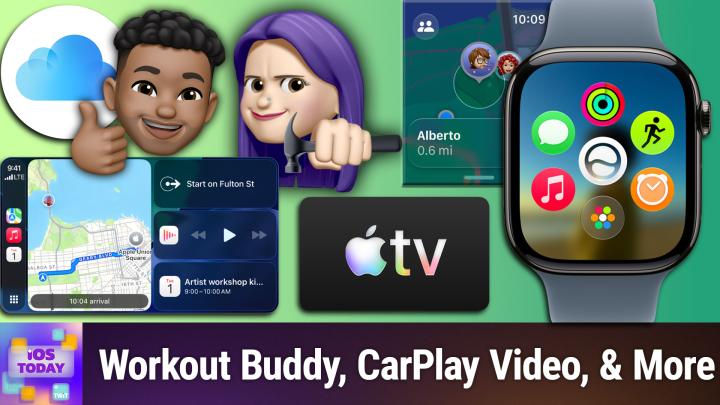
But this is about so much more than that because along with the introduction of iOS 27, we saw the introduction of WatchOS 27. And while it may seem on the face of it like Apple's announcements have all been about its AI, Apple intelligence and the new Siri. Oh, there have been other changes as well. According to Mac rumors, there have been some improvements to Workout Buddy as well as indoor run tracking. And so Workout Buddy is something that Apple introduced in the last version of iOS and gave you a sort of AI coach on getting, you know, on speeding up on, on, you know, doing a better job of, of reaching your next zone. And now it uses even more data to be able to kind of give you progress updates, to give you suggestions for Workouts to also give you the ability to work without an iPhone nearby. And I think that's a big change that people who are primarily Apple Watch users will be happy about, but also people who don't want to have to bring their phone along whenever they're doing a run, which is very exciting.
Rosemary Orchard [00:06:12]:
Yes. There are also two brand new apps coming to WatchOS 27, which number one is the Siri app, which is an app for interacting with Siri instead of just triggering it through your voice or through press and holding the Digital Crown. I do this so automatically now. Yes, it's Digital Crown that I had to double check. And then the other new app coming, which I need this app because I. So the. The most used feature on my Apple Watch, I'm not going to lie, is find my phone. Digging my phone to find out where I put it down or under which part of the dog it is or.
Rosemary Orchard [00:06:52]:
Or under which part of a five year old it's ended up, or what pile of blankets it is, pressing and holding on that to make it flash at times, or just pressing it and listening for the ding and having it tell me approximately how far away it is. That is definitely a really important feature, but it would be really nice to be able to like find my keys with my watch as well. Which goes back to what you were saying, Micah, about making the watch a more independent device. So yeah, Find my is coming to WatchOS 27. Yes, WatchOS 27. So it's WWDC 26 announcing the OS features for 27. This is very confusing and I really wish that these numbers could be slightly more aligned. But either way we're getting two new apps, which is very exciting.
Rosemary Orchard [00:07:34]:
I'm not entirely certain why you would want to open the Siri app. This is something that I've not figured out for any platforms. So if you have feedback about why you would love to open the Siri app, to be able to talk to Siri, then please write in and let us know what way it's going to improve your life. Because my brain is struggling to understand the need for this, but I am very sure that there is one. So it would be lovely to see feedback from people who are actually looking forward to this.
Mikah Sargent [00:08:01]:
Yes. As 9to5Mac points out, with the updates to WatchOS 27 and the sort of acknowledgment in iOS 27 that Liquid Glass can be a little bit difficult to read, to process, to understand, one would think that you would have that feature that that option rather to adjust Liquid glass in watchos27 that is not the case. It is not part of the update and so when or rather the setup process. Whereas on iOS27 it is one of the new interstitials that pops up to say, hey, how would you like to change iOS? IOS is liquid glass to make it more or less translucent. So it's a little bit different with WatchOS. There's not a slider there, but there have been some changes I the new grid that sort of bases everything around the new Siri is a little odd and takes some getting used to. But overall the updates that have been made on WatchOS I think are kind of secondary. You don't, you don't quite pick up on what has changed until you a look at the comparisons.
Mikah Sargent [00:09:19]:
But b, kind of notice subtle changes to sleep tracking becoming more accurate and those, those, those different fitness activities. The algorithms have been updated to make things a little bit more precise. So a little buried, but it's there, you can find it. It's true. Now, aside from WatchOS, there are some changes elsewhere, including with iCloud plus for people who aren't familiar. ICloud plus includes Apple's offerings for kind of improved storage space, some privacy features like being able to set up your own custom email domains and with the iCloud plus subscription. These are some of the changes. Some.
Mikah Sargent [00:10:10]:
This is from Apple's press release. Some Apple Intelligence features, including image generation, have daily usage limits because they rely on powerful server models. Increased access is available with most iCloud plus subscription plans, which also include Apple Intelligence support for compatible home cameras. So the point here is that at times you may do something on your phone using the new AI features. They may require server server side processing and throughout the day you do it a few times, fine. But if you are regularly hitting Apple's servers, then there's a possibility that you'll run up against the daily usage limits. Being an iCloud plus subscriber then will give you the ability to, to take that further and have more available to you. So that's one change.
Mikah Sargent [00:11:02]:
And then on the home side of things there are new features that are better at kind of understanding what's in a video and can give you some notifications based on that. So knowing, oh, somebody's at the door and this is what they're doing. Just a little bit more information than you already get as part of your notifications. So that's the iCloud+change. I believe, Rosemary, that there are also some new CarPlay features. What's going on there?
Rosemary Orchard [00:11:36]:
Yeah. So one CarPlay feature that actually snuck in in 26.4, so that is the latest version of the publicly available operating system is the ability for Apple CarPlay to communicate back to your car what route it's on and like the navigation setup that you've selected, which is very interesting because that is probably a tie in for self driving cars and potentially getting carplay in Teslas. So we'll have to see what happens there because the biggest problem with CarPlay and all of these things is it is very dependent on car manufacturers to support these things as well. However, we are getting the ability to watch videos in CarPlay not while the car is in motion. To be clear that that is, that is not happening. We are only getting the ability to watch cars in CarPlay when the car is stopped, which you know that that's pretty cool as an entertainment device. While you know you're potentially waiting to do a pickup or drop off or something like that, you can now do audio scrubbing in the now playing interface, which I cannot tell you how many times I've like pulled up to traffic lights and gone what was said in that podcast like three minutes ago. And trying to rewind like three minutes in a podcast just so difficult if you don't have the right like rewind settings.
Rosemary Orchard [00:13:02]:
So just being able to like pop your finger on there while the car is stopped and drag back or you know, have a passenger do that, that's pretty amazing. There is also improved GPS accuracy and navigation heading. I've yet to see what this looks like myself. I'm looking forward to seeing it but I, I was looking for it the other day when I was driving and couldn't see it, but I was also driving so I was trying to focus on, you know, driving my car. There is improved wireless carplay reliability so far this has resulted in me having to reboot my wireless CarPlay connector to get music every single time I've got in the car. So I felt some feedback about that and I'm looking forward to that being fixed and actually having better wireless reliability. But then there is also a mini player for audio within apps which yeah, this is just something that's a bit more developer basically it just means yeah, playing audio is going to be a little more consistent across apps, you know, third party apps as well as Apple music and things like that. So yeah, new things are coming.
Rosemary Orchard [00:14:04]:
And of course Siri AI is coming to CarPlay as well. So you can have a chat with Siri AI as, as you drive along if you would like to.
Mikah Sargent [00:14:11]:
Yay, I think this is a cool feature. Especially like you said, the audio scrubbing I'm looking forward to, because that is something that I've sort of even put my finger on the screen before. Wait. Oh, that's right. I can't do that. So that's good. And then I actually, it's funny, one of the. On my clockwise podcast, one of the things that I had said that I wanted, Apple talked about a lot of updates that were just fixes and improvements.
Mikah Sargent [00:14:39]:
And one of the things I said was, I don't know if this will end up being the case, but I really, really, really want improvements to wireless carplay. And then shortly after that, I saw this MacRumors article that specifically points to wireless carplay reliability. And I said, that is what I've been waiting for. So I was very excited about that coming through for sure. Now that is CarPlay. That's WatchOS. Of course, IPadOS is the, the other big change here. Now, if you watched our last episode where we talked about the changes that have come to iOS27, then a lot of the expectations that you will have for iOS 27 are also there.
Mikah Sargent [00:15:29]:
For IPados 27, there aren't a lot of unique features for IPados that set it apart from what we have in iOS and I think that that's becoming more common. Right. We've got two different platforms that run very similar software. And one would argue that part of the reason that there is this convergence is that soon, and very soon we may see an iPhone that folds. And when you have an iPhone that folds well, then you need something that can move between iPhone and iPad size. And another change that I saw was that on Mac OS, the iPhone mirroring has been updated to account for larger screens that are not just iPhone screen size. So really interesting stuff. But ultimately what you can expect with iPadOS is the updated Siri, especially with many an iPad.
Mikah Sargent [00:16:40]:
You've got some pretty good hardware there, some pretty good processing power. So being able to make use of Siri AI on your modern device is going to, I think, make all the difference. Having that personal context, being able to use, having your devices indexed is great. And knowing sort of what, having your Siri AI know what's going on across all of your, your os. So let's see, I'm trying to see if there's anything specific. I mean, as we've kind of looked through this, it really is a kind of copy paste between the two. The child safety improvements, the Apple intelligence, being able to generate shortcuts, and of course the improvements that have come on, making things run a lot faster. Specific to iPad browsing and transferring files from iPad to an external hard drive, up to five times faster.
Mikah Sargent [00:17:44]:
Of course, airdrop transfers are faster and some of these changes just include kind of better transitions between different parts of the, of the operating system. I did like one change that has come in ipados that makes it feel a little bit more Mac os. It's silly, but in the status bar at the top, kind of like the menu bar on the Mac, you have the name of the app. And I know that that's not really important, but it's just nice. It makes me think of macOS and
Rosemary Orchard [00:18:17]:
I love that, honestly. It's genuinely a feature that I have not realized before that I've needed. It's the number of times I'm doing something on my iPad and somebody will say to me, so what app is that? And my brain just immediately goes blank. I know I'm using Notability or Draft, so whatever it is that I'm currently using, but as soon as you ask me the name of the app, can I remember what that is? No. So it's really nice to just have that there as a prompt, like, you know, just reminding me, yeah, this is Notability, this is Drafts, this is Freeform, whatever it is I'm using, so that then, you know, people can go, okay, that's cool, and then write it down because they can see how it's spelled instead of trying to guess, which is quite important for some app names.
Mikah Sargent [00:19:02]:
All right, anything else that we should mention here? Of course there have been updates. I think we even talked a little bit about it last time with Vision os. But it's not a platform that we tend to cover too much on the show. And of course macOS, another platform that we don't tend to cover on the show again this year has really been about sort of platform parity in a lot of ways and making sure that, you know, you can use the features across the board and they work how you expect them to in all of those places.
Rosemary Orchard [00:19:35]:
Yes. Yeah. It is worth mentioning that tvos is getting a couple of updates. So faster airplay connections, you'll be able to see applecat coverage in your TVOS settings. And there's larger text size accessibility options, which is really nice. One feature I am loving is the. It's actually an iOS feature, but when something is playing on Apple TV and your, your iPhone is physically near it, it shows it on the screen sort of as a halfway house between a live activity and notification. So that you can control it with the the remote on your phone immediately, which is amazing.
Rosemary Orchard [00:20:14]:
And there's smart downloads now on Apple tv so you can download things on Apple TV if you didn't know before. You can download things on Apple TV so you can take it with you when you travel, which is pretty awesome. But there's smart or smarter downloads and then the redesigned podcast app. And this one's pretty awesome because podcast is going to support video again, which, yeah, for a while it didn't for some reason. But yeah, the redesigned podcast app sounds pretty amazing. I have yet to update either of my Apple TVs to the test operating system because there are now other people in my life who also use them. So I wanted to let other people have a go first and just see how stable or unstable it was before just dragging everything onto OS 27. But I'm hearing good things, so I think I will be updating my tvos soon so I can give everybody firsthand feedback of how that goes.
Mikah Sargent [00:21:09]:
All right, I do believe I. Oh actually, before I say what I hear, I want to mention that if there are any features that have stuck out to you that we have not hit that you'd like for us to talk about, please do let us know. You can email us iostodaywit tv, but moving right along, I can hear the music. It's time for Shortcuts Corner. This is Shortcuts Corner, the part of the show where you write in with your shortcuts requests and Rosemary Orchard, our shortcuts expert, provides a response. Although this week the person writing in with the request is not a person but a company. And it is a company that has come out with lots of new features and Rosemary is going to tell us about them. Rosemary, take it away.
Rosemary Orchard [00:22:06]:
Yes. Yeah. So there is a lot going on with Shortcuts right now. I already mentioned some of the new features last week and demoed creating shortcuts with AI because honestly, that is a game changer and I still am very much up for somebody. If you have a request for iOS today and you want to send it into Shortcuts Corner, but you want to try it with AI as well, Absolutely. Do both and send me the link to the creative one as well, because I would love to do a compare and contrast after I create your shortcut for you, I think that that would be a really great feature for us. But one of the biggest things now in Shortcuts is, you know, I mentioned this last week, when you open it, it wants to create a shortcut for you. But you can tap on the three blocks button in the top right to go into the actions and.
Rosemary Orchard [00:22:52]:
But you can't create an automated shortcut through a particular tab anymore. Instead you select the automation actions inside of shortcuts which then reveals all of the triggers that you can use. So you can have time of day, alarm, sleep, arriving and leaving places, messaging, emails, airplane mode, etc. You can have now when a particular or when a keyboard is connected, which is pretty awesome when you tap a wallet card or pass. These ones aren't new. And then there is a new one right here notifications. So when you get a notification say maybe from Outlook which you could use for work, then it can, you know, do a particular thing like maybe flash the light on your phone because you want to be notified about work things. Personally I wouldn't do that.
Rosemary Orchard [00:23:42]:
I would invert it and flash for the things that are important outside of work for me. But that's how up to you to choose your work life balance. But this is a really cool feature so you can say hey, when I get a notification you have to select a particular app. So I'll say one password for example. And when I had nothing selected, people might have caught that there. I'll just clear that says automation is invalid. And this is something that is a really cool feature. Big fan of that because it's there going hey, you know, like I, I can't do this automation right now.
Rosemary Orchard [00:24:19]:
This is not going to work. Uh, so you can expand this to say run immediately and whether or not to notify when run it defaults to running immediately. And there are filters where you can specify that the title or subtitle or message of the notification contains something in particular. So if you want to change all the lights green in your house when your Uber E order is on the way, or when your team scores a particular goal or a particular team in whatever sport it is you, you follow scores a goal then you can do that now which is amazing and I'm a really big fan of this. You know, it's something that people have been asking for for a long time. So I'm very glad it's here. Just if you are getting very excited about this and you plan to create 101 automations to do that, there is something known as too much of a good thing. So make sure that you create them slowly and consider in full what might happen.
Rosemary Orchard [00:25:13]:
Like for example changing the color of the lights in your house every time your team scores a goal. If you ever have to go to bed early or your team ever plays in another time zone, you may want to consider that, just factor that sort of thing in, just in case. I'm just giving you a little warning now that you might want to think about that because I've been on the wrong end of Automations. I've created for myself more than once in my life. Previously, if you wanted to save data across multiple runs of a shortcut, so you wanted to run a shortcut at 9 o' clock in the morning and then you wanted to run it again at 5 o', clock, the shortcut you run at 9 o' clock in the morning has a set of data and then it throws it away and that data no longer exists. And then if you want that data again, when you run a shortcut at 5 o' clock in the afternoon, there's no way to do that unless you do things like save it to a file or use a third party application like datajar or something like that. All of which are really great options. So now there is the fantastic feature of store.
Rosemary Orchard [00:26:12]:
So storing allows you to save a variable but for longer so you can store content and then if you tap the expansion error, and this is very important, you can make this global. So three or five or ten shortcuts can access this or the same shortcut can access it again and again and again. And that can be incredibly useful to just save information and, you know, make it available to you to use. So for example, your next work trip, that you could put the date of that in there and then everything can reference it instead of recalculating it time and time again because I mean that's kind of inefficient. So there is also a new feature for figuring out what's on screen or it's, it's not a new feature, it's improved. And you basically get a little more context with this. So you can get your on screen images, calendar, events, contacts, you know, messages, mail, etc. There's even voice memos and web pages.
Rosemary Orchard [00:27:16]:
And this is just a big improvement because previously you could figure out what app was open and what app was there when you run something or triggered shortcuts somehow. And you could kind of get what was on screen, but it didn't work a lot of the time. And the reason why it didn't work was because apps didn't have a standardized way to present that data. It was kind of just going a, you're a normal web page, can't really do anything with you most of the time. And now it can. So that's really cool. And speaking of messages, because messages, you can get the context of messages on screen Messages has a brand new action. In fact, it has two delete conversations and delete messages.
Rosemary Orchard [00:27:56]:
So if you want to automate sending something and then deleting it, you can do that. Not perhaps the most useful, but you know, it could be you could maybe work on trying to find all the messages that say stop in them because you're trying to unsubscribe from a bunch of spam and then deleting them. So you know that that's pretty useful. There is also a whole bunch of new things. So models, if you're working with AI and you're asking AI to do something, you can now use a Cloud Pro model. And yeah, this is something that actually could have come in useful. It turned out I didn't need it. But I am just going to show folks this is a shortcut that I created.
Rosemary Orchard [00:28:38]:
So I'm going to a conference later this week. So, you know, by the time this episode is out, I'll already been at the conference, but it's called Laravel Live and it's in London. And so I wanted it to grab the conference schedule off the website and add it to my calendar for me because the last thing I want to be doing is trying to scroll through a web page 5, 10, 15 times a day to figure out what talk is coming up next. So I got it to do that and yeah, the cloud model did it perfectly for me. So I could have tried. I did try on device, my iPhone got a little warm and then nothing happened for a while so I sort of gave up on that. So I tried cloud and that actually worked perfectly. And next time I may try Cloud Pro because I have a feeling that there are actually little gaps in between the talks and it hasn't done that.
Rosemary Orchard [00:29:30]:
It's extrapolated that the end of a talk is the start time of the next talk, which is a reasonable, logical approach that I believe somewhere buried in the text on the web page it actually says that there's a five to ten minute break between every single talk talk. I certainly remember reading that somewhere. So yes, but yeah, honestly this was not a perfect shortcut, but the amount of time this saved me overall being able to say, hey, grab the schedule off of this website please, and then add it to my calendar. And that's exactly what it did. And now I know all the talks that are happening on Thursday and Friday, so I am very excited for that because now it'll just pop up on my phone and tell me what's happening next. And the colleagues that I'm going with will once again believe that I have discovered some how to control or just witchcraft of some kind or I've got a perfect memory. And the answer is I do not have a perfect memory. Witchcraft is an option, but honestly, a little bit of automation goes a very long way here because it can just give you so much detail and make your life much easier if you would like it to.
Rosemary Orchard [00:30:33]:
So, yeah, I'm a big fan of the new shortcuts. It's taken a little getting used to not having the automation tab and so on and so forth, but I. I think it's a really good improvement for everybody overall. You know, for the super nerds who are used to having the tabs, it's still there, it's just a little hidden. But for most people, I think that this is going to be the way to go. English is going to end up as the primary language for programming, so let's get started with shortcuts.
Mikah Sargent [00:31:05]:
Very well put. There's. Yeah, there's a lot to explore there. And again, people are continually finding new ways to use. I love this idea too, of just again opening it up to more folks and making it simpler. I think that's wonderful. So we'll be keeping our eyes on that as well as we go forth, folks. That is the end of the show.
Mikah Sargent [00:31:29]:
IowaData TV is where you go to get in touch. Rosemary Orchard of people would like to follow you online and check out all the great work you're doing. Where should they go to do so?
Rosemary Orchard [00:31:40]:
The best place to go is rosemary.com which has got links to apps, books and basically all the places that I am or have been involved in around the Internet, including social media. But not Discord because you'll just find me hanging out in the club. Twit Discord Often in the live chat during the show, but then also in the iOS today forum after the show. Micah, where can folks find you?
Mikah Sargent [00:32:03]:
If you're looking to follow me online, I'm ikasargent on many a social media network where you can head to Chihuahua Coffee. That's C H I H O A H U a Coffee where I've got links to the places I'm most active online. Thank you for being here with us today. We'll be back again next week with another episode of iOS today. Bye bye.