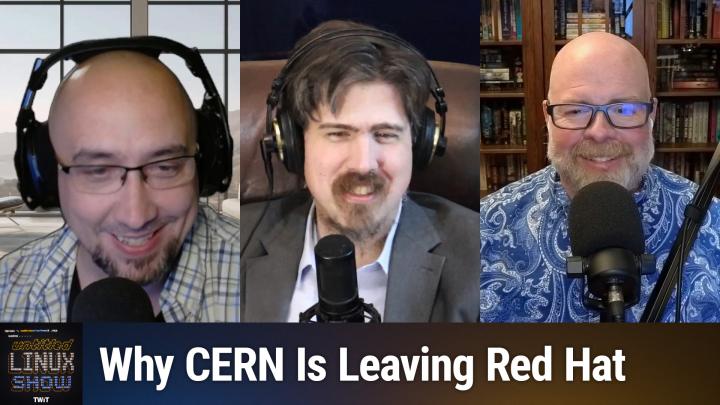
Untitled Linux Show 269 Transcript
Please be advised that this transcript is AI-generated and may not be word-for-word. Time codes refer to the approximate times in the ad-free version of the show.
Jonathan Bennett [00:00:00]:
Hey folks, we're talking about Umitchee once again. We maybe get the pronunciation right this time. CERN is migrating to Debian. There's a new Ursu project that is trying to be Clear Linux for the future. Audacity 4.0 is out, and we have a Btrfs roundup and some new hardware to look at. It's a lot of fun. You don't want to miss it. So stay tuned.
Rob Campbell [00:00:26]:
Podcasts you love.
Jeff Massie [00:00:28]:
From people you trust.
Rob Campbell [00:00:29]:
This is TuxDigital.
Jonathan Bennett [00:00:34]:
This is The Untitled Linux Show, episode 269, recorded September 5th, Kerfluffle. Hey folks, it is Saturday and it is time to geek out about Linux, the desktop and hardware and software. I'm your host, Jonathan Bennett. This is The Untitled Linux Show. And I have, of course, my compadres, my partners in crime. Today we got Rob and we got Jeff. And they are both wearing sort of noisy blue shirts. I have gone for the very conservative, very plain blue, and they are doing the more out-there blue.
Rob Campbell [00:01:09]:
We're the fun ones.
Jonathan Bennett [00:01:10]:
They're the fun ones.
Rob Campbell [00:01:12]:
The boring ones.
Jeff Massie [00:01:13]:
Yeah, we've actually had beers together. So, you know, we're— yes, Jonathan's the one that's kind of left out.
Jonathan Bennett [00:01:18]:
And hey, I've met with Ken. Me and Ken got together. We didn't have beer, but you guys live next to each other.
Rob Campbell [00:01:25]:
And you live next to each other and you got together what, once?
Jonathan Bennett [00:01:28]:
Oh, we're not exactly next to each other. I mean, we're halfway, he's halfway across the state of Oklahoma, but it's fair. It's fair.
Jeff Massie [00:01:34]:
It's like 50 miles.
Jonathan Bennett [00:01:36]:
Anyway.
Rob Campbell [00:01:37]:
Yeah, this isn't the UK.
Jonathan Bennett [00:01:39]:
That's true. Yeah. Tip of the hat to Doc Searles, who has the best observation on the difference between the US and Europe, particularly UK. In this case, and that is, in the US, we consider 100 years to be old, and in Europe and the UK, they consider 100 miles to be far. All right, Rob, he wasn't here last week, but he figured we just couldn't get enough of the, uh, the Omicron news. I won't call it a debacle. It's not a debacle. It's a kerfuffle.
Jonathan Bennett [00:02:19]:
I think that's a reasonable word to use for it, right, Rob? Isn't that what you're talking about here?
Rob Campbell [00:02:24]:
I'm not going to get into the kerfuffle too much, but to begin with—
Jonathan Bennett [00:02:28]:
No, no, no.
Jeff Massie [00:02:28]:
Kerfuffle.
Rob Campbell [00:02:30]:
Yes. Kerfuffle.
Jonathan Bennett [00:02:31]:
There you go. You had an extra L in there.
Rob Campbell [00:02:33]:
Kerfluffle. No, but first I'll correct you. It's pronounced Umaji. That R is silent, I guess. And that's out of DHH's mouth himself. So anyway, I came across an article this week talking about how 1Password employees are not happy that their company has pledged $300,000 to the DHH Umaji project. Now, I've seen Umaji, the word, around in some headlines. I guess they talked to us a little bit about it.
Rob Campbell [00:03:12]:
I don't know how much. But somehow I always scrolled past it. I don't know why. They never caught my eye. Headlines weren't good enough for me. Well, this one, this one got my interest. So I don't think— I didn't watch last week's, but my understanding is they didn't actually talk about what Umaji is. So first, first I'm going to touch on the disgruntled 1Password employees part.
Rob Campbell [00:03:38]:
The gist of it is that DHH is known for posting some pretty strong political views. And that is about all I'm going to say about that because I don't want to talk about the tech— or I want to talk about the technology. And I don't want the creator's personal issues to get in the way of how cool this project actually is. First, I'm not going to do it justice without how awesome Umaji looks. So I suggest going to the site and viewing the Network Chuck video on it because he does a great job showcasing in a 30-minute video. So Umaji is an opinionated, AI-centric Arch Linux distribution built around the Hyperland tiling window manager and the Quick Shell desktop interface. I did install it on a VM this week to play around with it. So what it does is rather than handing you a blank canvas like Arch does, Umaji has already made most of the decisions and configured the system for you.
Rob Campbell [00:04:52]:
And it's a super easy install. It's, it actually compared to any other install I've ever done where they ask you questions, I, I don't remember if this even asked me any question. I think they— no, it did. It asked me a few questions, but it's very minimal, very nothing confusing. Um, so it is, it's an extremely keyboard-centric, um, operating system, at least today. Sounds like he doesn't even want to use a keyboard in the future, maybe more voice or something. I don't know. I, I thought that's what They said something on that video I watched, but shortcut, the way you used it today, at least the way I used it, shortcuts launch menus, applications, arrange windows, and move you between workspaces because it is a tiling window manager.
Rob Campbell [00:05:40]:
So it's a lot of keyboard shortcuts and stuff. It's all incredibly fast, but there's definitely going to be a learning curve. while you memorize all the keybinds. It also has more than 20 themes that you can change the look of the entire system, and the system makes it easy to quickly make new themes with a simple AI request. What really got my attention is the built-in AI integration. Now, it's a little risky, I guess, the fact that AI can touch and change things on your computer. In the video, Network Chuck launched a portal through Steam. The game crashed.
Rob Campbell [00:06:27]:
Umaji detected the crash and offered to send the crash information to his AI agent for diagnosis. I've done a variety of things, such as I said, I told it to move my panel to the bottom. I made a couple themes myself for Windows 11. I didn't think it looked that great like Windows 11. For the show here, I just typed in, I said, it's on the screen somewhere, I think, unless it scrolled past, but I told it to, I told it, don't time out and go to the login screen, something like that, basically. And then it just, okay, and it configured it so it's not going to time out. Because my tip is on Umaji. It's not on Umaji, but it's on this VM that I have later.
Rob Campbell [00:07:17]:
So I didn't want to time out by the end of the show and have to log back in. Anyway, Umaji also has an easy way to install Windows in a VM by using, you just go to Super key, spacebar, select the install menu, and then select Windows. And it sets it all up for you. Just like that, you have a Windows VM. I mean, after a couple minutes of whatever processing. I didn't get a chance to actually try that because I am running in a VM and I don't have nested virtualization enabled. So I would have to either enable that or run it bare metal to get that to work. And, you know, like I said, you can, you can ask AI to do anything, change a configuration, install a program.
Rob Campbell [00:08:02]:
For example, also later in the show, I'm gonna be showing a program called Postcard. It's set up with Flatpak, but not on Flathub. I typed in the AI box to install GXANSHU Postcard program, and it found the repo, installed Flatpak, and installed the Postcard Flatpak. And I didn't have to do anything else besides type in there. install that. Umaji Stable, it has its own repository that also intentionally runs about 1 month behind Arch. And that gives its developers time to catch breaking changes before the updates reach the users. So it's not quite as bleeding edge as Arch.
Rob Campbell [00:08:51]:
Experienced users who want the newest Arch packages can switch to the Edge Channel. Ublue, you know, it's not going to be for everyone. It's still Arch underneath. And it's, you know, it's not trying to imitate Windows, macOS, or really even most Linux desktops that you've been used to, unless you've used Hyperland and, or maybe even things like i3, it might be kind of similar to that. But the majority of Windows desktops, it's not even like that. The experience out of the box looks like something completely new. It's actually what you see behind me right now. You know, it's a new paradigm in desktops.
Rob Campbell [00:09:34]:
If you're feeling adventurous, you got to go out and try it, even just to play with and see it run for yourself, play around with it, see what kind of crazy things you can do. And at the very least, watch some of Network Chuck's videos on it. He had to make a theme for one of his advertisers. He also had to make a theme for Windows XP that looked pretty good. A Windows XP theme for Ublue, that is. My VM experience isn't going to do it justice. I really do want to set up on a spare machine one of these days, and I have a couple, so I really think I probably will. Maybe this will get me to move away from CacheOS to another Arch-based distro.
Rob Campbell [00:10:23]:
Oh, and if you want to know more about why 1Password employees are mad about the pledge, check out the IT Foss article in the show notes. I'm not going to go into that anymore, but I know Jonathan has a story about DHH coming up, and maybe he's going to dig deeper into it. I don't know what he's going to talk about.
Jonathan Bennett [00:10:43]:
Yeah. So I, I, I found this. I will go ahead and mention my story and then we'll talk about the two of them together because I unfortunately have not watched the entire video. But I do have a link to a friend of mine and somebody that I have actually interviewed before. That's Brody. And he's got a podcast where he does very long-form interviews.
Jeff Massie [00:11:07]:
Like if you—
Rob Campbell [00:11:08]:
I was there when you interviewed him.
Jonathan Bennett [00:11:09]:
If you thought Floss Weekly was long, then you need to go check out Brody's. So Brody sat down with DHH for 2 and a half hours and they They just, they talked about everything. I've gotten only a few minutes into it. It is queued up. I will make it through all of it because I'm sure it's a fascinating conversation. I don't know what all they go into, although I'm sure that they talk some about the controversies. Yeah, it's kind of a weird place where we're at right now, especially in technology, because such some— there's a group of people that are very polarized on the left and on the right. I'm talking mainly about in the United States because this is what I know, but very polarized.
Jonathan Bennett [00:11:53]:
And so you've got this group of people on the left that they see someone that's right-wing conservative and they'll immediately call them a fascist or a Nazi. And then you've got the people on the right that see people on the left and, oh, they're communists. It's like, well, maybe that's not the most helpful thing to do, to throw those terms around. So again, Like Rob, I don't want to dive into the details of this and fight over it because we're here about the technology, not about politics.
Rob Campbell [00:12:20]:
Well, now he's bringing a whole nother controversy to the table. Those who are all for AI and those who are against it.
Jonathan Bennett [00:12:29]:
Hey, that one I'll talk about. That's technology. I'm down for talking about that. I think the only problem is that we're all pro-AI here, so we're not very fair and balanced. We need to get advice from a professional.
Rob Campbell [00:12:40]:
You can go back to your old days and think about how you used to be a couple of years ago.
Jonathan Bennett [00:12:45]:
Well, I mean, the world was a different place a couple of years ago. I stand by my early skepticism. It's just the world has changed since then. Anyway.
Jeff Massie [00:12:55]:
You got the pros and cons of data centers. That's always a controversial one too.
Jonathan Bennett [00:13:00]:
See, unlike most of the people talking about that, I've actually been inside data centers. I think all 3 of us probably have. And like, they're not burning water. They're not, you know, it's the things that people say, they're not what are actually happening. I've never seen a data center that was just evaporating water full-time. The way this—
Jeff Massie [00:13:21]:
some of the older ones that they have the cooling towers that they evaporate water. That's how they get their cooling. But most of the newer ones are all closed-loop.
Jonathan Bennett [00:13:32]:
Yeah. Yeah. Let me put it this way. I've been inside several data centers and I've never seen signs of them being evaporative cooling. I think, I think that's a very niche thing that did not happen a whole lot. Rocco's Life wants to know what's, what's inside the data center. And it's—
Rob Campbell [00:13:51]:
Servers.
Jonathan Bennett [00:13:52]:
Yeah. Lots and lots of servers. It's, it's really kind of boring. I mean, like, it's to super nerds like us, it's really, really interesting. But if you're not a super nerd and you don't get excited over racks of servers, then it's, it's pretty boring.
Rob Campbell [00:14:04]:
Think of it like this. Look at home. If you have a laptop or desktop computer, remove the monitor because there's usually not a whole lot of them, but maybe there's some. Look at that and then change the form factor so it's laid out and can be mounted in a rack. And then put that over and over and over and over and put wires in between them.
Jonathan Bennett [00:14:23]:
Pretty much.
Jeff Massie [00:14:24]:
Yeah, there, there's usually about roughly 7-foot-tall cabinets and they have what they call U. So like 1U servers, 2U, 3U, and that's just the units of height. I don't remember what a U is, like what, 2.5 inches or something?
Jonathan Bennett [00:14:40]:
2.5 inches, yes, something in there.
Jeff Massie [00:14:41]:
Something like that.
Jonathan Bennett [00:14:42]:
And the cabinets are 48U, something like, I think.
Rob Campbell [00:14:45]:
Yeah, I think it's common.
Jeff Massie [00:14:47]:
Yeah, you can get them a different size, but that's kind of Common. And then they just stack them in there, and it's usually based on cooling, you know, because you can put too many in and you can get too high a heat load. Um, it might be just physical space. I mean, it depends on how hard you're running them. Um, air-cooled, water-cooled, and most everything comes from the, the top down. So your network and your power come from the top down.
Rob Campbell [00:15:15]:
Mm-hmm.
Jeff Massie [00:15:16]:
A lot of times that's where you get your redundant power distribution units or PDUs. You get redundant power supplies so that if— and it's all monitored. So like one goes out, you just go, oh, server 1682 lost a power supply. You can walk over and pop one out and pop one in because the other power supply took the load. And, you know, there really is not a lot going on other than you hear a lot of fans and— Things like that.
Rob Campbell [00:15:44]:
A good data center is designed for airflow. So, uh, comes in hot aisle, cold aisle.
Jonathan Bennett [00:15:51]:
You have some that are hot aisle, cold aisle. You have some that have raised flooring. And so the, the, the air goes down underneath the flooring. I've never been in one that's hot aisle, cold aisle. Um, neither. Um, but that is, that is fairly common.
Rob Campbell [00:16:04]:
Yeah.
Jeff Massie [00:16:04]:
Yeah.
Rob Campbell [00:16:05]:
They'll have college. Yeah.
Jeff Massie [00:16:06]:
They'll have, they'll have big rows and hot aisle is where they'll have the backs of the servers facing each other with say like 3, 4 feet between them. And that's all the hot air going in. And you have a— it's kind of loosely sealed off from the outside cold air so that hot air goes up or down into the ventilation system. The air is cooled and then recirculates back into the, into the room. And so the natural room airflow helps the airflow through the servers.
Rob Campbell [00:16:37]:
Mm-hmm.
Jeff Massie [00:16:38]:
A lot of servers now are starting to go water-cooled. Some of the data centers, they're looking at immersion for cooling the chips. I mean, it's a wide range of how your data centers are set up based on when they were built, the technology, how much of a load do they have. I mean, if you're running your servers hard, you know, you probably have to go— you're starting to look at water cooling with the power density of chips now versus older ones that you're not running real hard. Okay, air cooling can take it over. But, and they're loud too because the fans in them are not fans like your home PC. They are a lot of times the Delta-style fans that JayzTwoCents has a video where he's like feeding carrots into one and it's just slicing them up. And it's just, you know.
Rob Campbell [00:17:28]:
I bought a rack server off eBay once to play with. I'm like, oh, the power, the, you know, all the, All the great things. And I used it for maybe a month. Like, I tried different ways to get quieter. I bought some, some foam stuff and kind of surrounded it to quiet the area off. I tried different tips I saw online, take out every other fan, and the thing was so loud I couldn't, I couldn't take it anymore. Yep.
Jeff Massie [00:17:56]:
Yep. And it is hot. A lot of 'em run it like 85 Fahrenheit, which isn't the best for the servers, but you save so much on cooling that they'd rather have— they'd rather go in and go, oh, we, we lost a server because of whatever. Okay, go and rack one out, rack a new one in, and away it goes. They're not, uh, because, because keeping it at a very controlled, you know, say 70, it takes a lot more energy and— A lot of times you don't, you don't need it. Yep. Yep.
Jonathan Bennett [00:18:30]:
Absolutely. All right. Let's, let's actually take a quick break. An interesting dive into cooling in data centers, but not really what we're here to talk about. We have something else that's data center adjacent, though. If we want to continue talking about that, we're going to do a quick break and then Jeff will kick us off about what's going on at CERN. Don't go anywhere. All right, Jeff.
Jeff Massie [00:18:55]:
Well, you know, after the server discussion, you know, just a little heads up. I have some hardware later on the show, but right now we're going to go more science and engineering and a little data center-ish. CERN is going Debian, kind of. So let me explain. So CERN is the world's largest particle physics laboratory operated by the European Organization for Nuclear Research. And part of that that it's also known for is the LHC or the Large Hadron Collider, which is the world's biggest and most powerful particle accelerator. It accelerates particles close to the speed of light and smashes them together. And as you can imagine, there are a lot of computers and controllers which are needed to make CERN function properly.
Jeff Massie [00:19:47]:
The organization has been using RHEL, Red Hat Enterprise Linux, and CentOS, which was the free version of Red Hat Enterprise Linux. And even in the past, helped maintain Scientific Linux, which was a derivative of RHEL. Now, Scientific Linux is no more. It went out end of life in '24, but You know, they've been very— point being, they've been very Red Hat. Now, there was talk about making a change going to CentOS Stream, but that was not going to work basically for the same reason Red Hat's not working. There's a problem in their industrial accelerator control computers, which is the -march compiler flag where it's set to x86-64-v2. And that's the compiler flag that's set as default. And this is from CERN, and maybe Red Hat's doing it as well, just saying it's— using that flag is considered forced obsolescence for old hardware.
Jeff Massie [00:21:00]:
Now, Red Hat 9 has a cutoff which won't run on CERN's oldest boards, the kind of boards which run chips like an Intel Core 2 Duo, And that's about 47% of their boards, to be exact. And Red Hat Enterprise Linux 10 cuts off another 17% of the boards. So all in all, 64% of their systems would need hardware replacement. Okay, why not do that? Well, CERN calculated that it would take $6.7 million or 5.4 million Swiss francs to upgrade the system, not counting the 11 controller boards that would need to be— need a redesign. And there's hardware configuration that would need to be changed and rewiring some things. And they calculated that the overall success would be around the 20% level. Yes, they could fix any issues they ran into, but that means more downtime, more money past the initial investment. Now, this is where Debian comes in, which doesn't mandate the compiler flag.
Jeff Massie [00:22:13]:
There were 3, but now there's only 2 paths they're looking at for Debian for the long-term support. Plan A develops on Bookworm through 2026, deploys Trixie as a long-term support release from '26 to 2030, then moves to Debian 15 Duke. Plan B skips that last jump, staying on Trixie until under extended long-term support, ELTS, out to 2033 instead. Plan C was running Bookworm itself until under extended support the whole way, but that got ruled out. So that's, that's not even in the running anymore. CERN has also started sponsoring FreeXian, F-R-E-E-X-I-A-N, which is a Debian GNU/Linux organization founded in 2005. And they manage funding and coordination for Debian LTS, helping extend standard security support for Debian stable releases to 5 years by paying developer maintainers and contributors. They also support ELTS.
Jeff Massie [00:23:27]:
That again, that's the extended LTS, which provides commercial entities additional security lifecycle extensions out to 7+ years for select older releases. Not all of them, but like, for example, though, Debian 9, 10, and 11 for subscriber organizations are going to have very long-term support on those operating systems. It should be noted that the switch to Debian is only for the accelerator itself. So CERN clarified that they're still on Red Hat for their data centers, experimental computing needs, and things like that. So this is only the old hardware that's supporting the Hadron Collider and other items that have the old controller boards and things like that. So that's why I said initially in the article, Or in this, in the story that they're switching to Debian, sort of not everywhere. So take a look at the show notes for more details, as you know, on the implementation, how there are more detailed plans on how they're going to make it happen, more details on the background for the switch and all the other interesting bits I didn't have time to go over.
Jonathan Bennett [00:24:41]:
Yeah, interesting. This is sort of an unexpected problem with the decision from IBM/Red Hat to kill the original CentOS. Because if CentOS still existed, it would have been a lot simpler to just recompile packages without the versioning flag. Most of them, I believe, would continue to work. It would probably be a pretty easy lift. do the recompile. But the fact that they were already having to move and, you know, going to CentOS Stream as part of it, yeah, I understand why they just said, forget this noise, we're going to Debian.
Jeff Massie [00:25:21]:
Well, you know, I get, you know, some of the, you know, Ubuntu or KaOS or Fedora running those compiler flags, but like enterprise Linux, you would think that would be like, oh no, no, we're running the the base and we're going to keep that old stuff going till the end of time kind of thing. And, you know, if you were going to be conservative on the compiler flag, that would be a distribution that would do it, you know.
Jonathan Bennett [00:25:47]:
Yes, but don't make the mistake of thinking that the majority of users of enterprise Linux are running on old hardware. Most of those companies, like the big companies, the ones that use it for a bunch of different servers all at once. They've got the newest stuff that they can possibly get and they want to squeeze every possible bit of performance out of it.
Rob Campbell [00:26:09]:
And if they're on old hardware, they're using an old version they have support on still.
Jonathan Bennett [00:26:15]:
Probably, yeah. So like this is the thing from Enterprise Linux going to the new compiler flags, you know, it's all about being the most performance for the most servers and playing to the people that give them the most money. I mean, obviously their business is what they are interested in. Yeah, I can't fault them for it.
Jeff Massie [00:26:37]:
Well, you'd think though, at least there'd be an option of like, oh, okay, we have a fork that you can compile under the, you know, like, or a kernel or whatever. They would support the older hardware on a fork or something. Because like, for example, CachyOS, It's got different levels you can grab based on the hardware you're running.
Jonathan Bennett [00:27:00]:
I think this is something that they've looked into as part of Fedora, but it's not landed yet. I think we've talked about this in the past that they've looked at building individual packages with different levels, but it's a complicated thing to do and it's not landed yet. All right. Rob, you want to talk about the Ur project.
Jeff Massie [00:27:23]:
Ur. Ur.
Rob Campbell [00:27:25]:
Yes.
Jonathan Bennett [00:27:26]:
So. I understand what they were going for there, but maybe not the best name.
Rob Campbell [00:27:32]:
Do you? Well, I didn't even bother looking at what they might be going for there, but maybe you can expand on that later. So what's going on here is such like CacheOSOS may eventually have some clear competition. And I mean that with a capital C. Last year, Intel abruptly ended Clear Linux, a distribution famous in Phoronix benchmarks for squeezing extra performance from x86 hardware and even AMD hardware. Since then, CacheOSOS has become one of the names we regularly see near the top of those performance comparisons. Now, Arjan Cook, one of the architects behind Clear Linux, is starting over with something called the UR project. That's that you are. I guess I was kind of thinking of you're because, I don't know, people often abbreviate you're that way in text these days.
Rob Campbell [00:28:35]:
So, but maybe it's UR. I don't know. It's the UR project. So Cook, Spent more than 17 years at Intel and worked on Moblin, MeeGo, Tizen, and Clear Linux. So he brings plenty of experience building distributions. Before we get too excited, there is nothing to install yet. Cook describes this as a personal hobby project with big ambitions, but no corporate backing. Like Clear Linux had.
Rob Campbell [00:29:10]:
At the time of the announcement, there were no bootable images or finished distributions to try. The Ur project is also more than another desktop distribution. The goal is to create tools that allow people and companies to build their own secure Linux distribution. That could be a desktop, an embedded Linux system, a container image, Or an operating system with automatic updates. Much of it is being written in Rust, so it's going to be good and fast and safe. Plans include a reproducible build, software performance, license tracking, vulnerability and malware scanning, and secure software updates. It's even planning an MCP based package designer. So AI will apparently help make creating packages easier.
Rob Campbell [00:30:08]:
One of the most interesting parts is that Cook is openly discussing what Clear Linux got wrong. He says its biggest mistake was making it far too difficult for the community to contribute, test changes, and create packages. With your project, he wants people to easily build packages Operate repositories and securely share and remix those components. So is this really competition for CacheOSOS? Not yet. We don't even have an operating system or any benchmarks or anything yet, you know, and it may ultimately be as much a distribution building platform as a distribution itself. So maybe CacheOSOS will, uh, will not have one, uh, ultimate competitor. It may have, uh, a lot of, uh, distros to compete with in the future, or maybe not. I don't know.
Rob Campbell [00:31:08]:
But, uh, uh, it's being created by someone who helped build one of the fastest Linux distributions we've ever seen, at least before Cashia. I don't know if they've ever compared them. You know, the late— the oldest version of Clear Linux versus CacheOS. That'd be interesting. Who knows what that'd be. But anyway, if you can combine Clear Linux performance and security ideas with a more open community model, you know, CacheOS, you could eventually have some very clear competition.
Jonathan Bennett [00:31:41]:
Clear competition. Such a dad joke. Yeah, so Ur is the name of an ancient Mesopotamian civilization from like 2100 BC. It is also famously referenced in the Bible, Ur of Chaldees. That's where Abraham was from. So quite the historic place. And I'm assuming it's a reference to the place in the ancient history, but they don't actually say. I went looking through their web— their very simple website, actually, of the Ur Project.
Jonathan Bennett [00:32:15]:
They don't—
Rob Campbell [00:32:15]:
Yeah.
Jonathan Bennett [00:32:15]:
call out what the name is a reference to.
Rob Campbell [00:32:18]:
So you suspect the name is a reference to that. Do you see a reason that they would compare what they're doing to that? Or—
Jonathan Bennett [00:32:27]:
Oh, I don't know. Some grandiose ideas about rebuilding civilization or a new civilization coming out of an old one. Or I don't know. I don't want to speculate too much.
Jeff Massie [00:32:38]:
Because Clear was maybe the first performance distribution?
Jonathan Bennett [00:32:41]:
Yeah, it's for those, for those wondering and listening, I see people, several people that are confused about this. It's Ur as in U-R, not E-R.
Rob Campbell [00:32:52]:
Er, um, what?
Jonathan Bennett [00:32:57]:
Anyway, uh, yeah, need to, need to see it. It'll be fun to sort of watch and see if this does indeed turn into a worthy successor to the Clear Linux, uh, legacy and doing some of the things that Clear Linux used to do. I imagine we'll see Michael Larabelle at Phoronix do some benchmarking of it. And I don't know, what would be fun is to have him pull like the last Clear Linux release and compare the two and see how well it stacks up.
Jeff Massie [00:33:27]:
I bet he will.
Jonathan Bennett [00:33:28]:
I bet so. If not, it's a great idea. I'll let him use it.
Rob Campbell [00:33:33]:
There you go. We throw the last Clear Linux, the first release, and you got to throw Cache in there too.
Jonathan Bennett [00:33:39]:
Of course. And Fedora and Ubuntu and Debian, just for flavor.
Rob Campbell [00:33:44]:
Don't give them too much work.
Jeff Massie [00:33:47]:
And for the record, back when Clear was still running, it was the top dog performance-wise. It was faster than Cache.
Jonathan Bennett [00:33:57]:
Yes.
Rob Campbell [00:33:59]:
Oh, was it when they were both— Yeah.
Jeff Massie [00:34:01]:
Okay.
Rob Campbell [00:34:02]:
I didn't—
Jeff Massie [00:34:03]:
It had much more aggressive optimization and it wasn't as friendly for a daily driver distribution because it was set up for a lot of database stuff, a lot of just pure speed, more enterprise. And so they didn't care about whether it was Yep.
Jonathan Bennett [00:34:32]:
All right. We are going to— we're going to get into some new releases, something actually we've been looking forward to for a long time, and that is Audacity. We're going to take a quick break and then we're going to talk about Audacity 4.0. Don't go anywhere. We'll be right back. So Audacity 4.0 is out. It's released and you can go grab it right now. Right now, actually, I've got a link here to the Phoronix article.
Jonathan Bennett [00:34:57]:
I'll get a link added to the GitHub release page. And they've got, well, they've got quite a few different binaries there. They've got AppImages. They've got DMGs for putting it on macOS, MSIs for downloading it onto Windows. And of course, your favorite Linux distro, I'm sure, will pick this up before too much longer. And have a version of it available. I will say there's something fairly interesting that I noticed here that sort of surprised me, although I've been seeing quite a bit of this here recently. The AppImages, we get an x86_64 and an aarch64.
Jonathan Bennett [00:35:37]:
So those are now the 2 big platforms that you can run things on, your Raspberry Pi and your Linux desktop or laptop. I found that I found that kind of interesting. Those were the 2 things, 2 places where it runs, where they compile it by default. But I did go ahead and grab this actually. And it's a pretty, so far it looks like a pretty solid release. And it adds back to Audacity, or it adds to Audacity, maybe for the first time, some features that have been in more sophisticated editors like Ardour. So, I mean, one of the things that I don't think you could do before that now is extremely easy is just putting multiple audio tracks and moving them around. You can now do that extremely easily inside of Audacity.
Jonathan Bennett [00:36:25]:
Uh, it's just a matter of clicking on the, like, the header part of the track and you can scrub it whichever direction you want to. Uh, it has more support for non-destructive editing. Um, for those who've been around using Audacity for a while, everything used to be, you know, destructive editing, which means essentially that when you applied an effect to a piece of audio, it rendered it out and you had the new audio that the effect was on. Whereas now it's doing all of these things live. You have your original audio that just— it always lives as it is. And then you apply your effect stack real time and they don't actually make changes until you're ready to render everything out. That's the idea of the nonlinear non-destructive editor. Yeah, it's really, it just, it strikes me as though it's growing up into a little bit more sophisticated of a tool.
Jonathan Bennett [00:37:20]:
I'm sure there are a few people that are going to find that unfortunate because we've always described Audacity as being like the notepad as opposed to something like Ardour being the full, you know, office suite. And we've gotten just a few office suite features now, not literally office suite, of course, but still, you know. Understand this in terms of the metaphor we're making here. We've gotten some Office suite features added to the text editor of Audacity. But I like it, actually. I'm going to play with it some more. I didn't get very much time to mess with it. I may see the next time I have something audio to edit and mess with, I may try it in Audacity and see how that goes.
Jonathan Bennett [00:38:00]:
Particularly if you can get all of your existing plugins, if they now work in Audacity, that's going to make it really a pretty powerful tool. So I'm impressed. I'm looking forward to, you know, how that works out and what's coming next.
Rob Campbell [00:38:13]:
Now that we have some Office Suite features, we just need some sweet Office features. But goodness, you roll your eyes at me more than my wife does. Yes.
Jonathan Bennett [00:38:29]:
Probably has to do with that I get you in bursts and she has to live with you full time.
Jeff Massie [00:38:35]:
Her eyes are continuously rolled.
Rob Campbell [00:38:37]:
Yeah, she's just always looking up.
Jeff Massie [00:38:41]:
Yeah, I use Audacity. I like it just because a lot of the stuff I use for recording is I just need a simple basic, you know, that Notepad reference is perfect because sometimes it's like I just need to write a couple little things and I don't need automatic numbering and headers and footers and, you know, I just But I've used both, you know.
Jonathan Bennett [00:39:06]:
With Ardour, you know, you've got the ability to go in and wire things up because it was built on top of Jack originally, right? So you can wire everything up like, oh, here's the input for this track and the output for that track. And it goes into this and it goes into that. And, you know, I mean, you can do so many extremely fancy things with Ardour, which is great. I mean, particularly like if you're an audio engineer or, you know, a wannabe audio engineer like me, if you've actually, if you've worked with real hardware, and plugging things in and out, like, it's, it's perfect. But if you don't want to have to pretend you're an audio engineer, then Audacity is pretty cool.
Jeff Massie [00:39:40]:
Yeah, because, because you can get in there with Ardour sometimes and go, oh, let me set— okay, I got to set this to— okay, which input do I— versus Audacity is kind of more just hit record and then it's, it's capturing it all.
Rob Campbell [00:39:55]:
Yep. Or open a file.
Jonathan Bennett [00:39:58]:
Yep, you can do that too. Yep, do that too. All right, it is time now for Jeff to try to convince us that we need to buy some hardware.
Rob Campbell [00:40:08]:
Not gonna do it.
Jonathan Bennett [00:40:09]:
I'm already not entirely impressed by this. It's almost the thing that I want, but it's not quite there.
Jeff Massie [00:40:15]:
It's what you need, Jonathan.
Rob Campbell [00:40:18]:
It's not what you want, it's what you need.
Jeff Massie [00:40:20]:
Exactly. So more hardware corner. You know, I— you know me, I love hardware. So I, I saw this and I'm like, oh, this is cool. So Lekuo, I guess, L-E-K-U-O, South Bridge puts an AMD B650 chipset on a PCIe board. Now you might be thinking, what's the point of that? The point is for when you need a lot more drives. When you look at your motherboard, there are probably a few SATA connections and NVMe drive connections. And, you know, you can plug in SATA drives without having any issues with your PCIe interface, but your NVMe drives are a different story.
Jeff Massie [00:41:06]:
Depending on how the motherboard is set up, most have one or more slots that when you plug in a drive, and depending where you plug in the drive, it can have an effect on the connections for your PCIe slots. So by plugging in a drive in a certain location, your x16 PCIe slot might turn into a x8. So then the card you have in there is only running at half speed, which may or may not, depending what you're— what you have, be an issue. And the, the reason is, is how many PCIe lanes there are and how they're split among the actual slots in your motherboard. And your actual drive connections, your, your NVMe drives. And it— you don't have enough PCIe lanes to run everything at once, so they— that's where they kind of split them out. Now, if the other part is if you have a 2-drive expansion board, most the time the board will bifurcate the PCIe slot, meaning that x8 slot will now turn into 2 x4 slots, which most times are okay, but then you're just limited to your 2 drives. You can't plug in a whole bunch of drives.
Jeff Massie [00:42:28]:
Now, by putting a chipset on the board, then you can have multiple connections and have them communicate over the same PCIe lanes without splitting them up. No need to bifurcate. The expansion card chipset handles all the communication, switching, and routing between the drives and the PCIe lanes. Now, the Southbridge Max provides 4 M.2 NVMe slots, 4 SATA 3.0 ports, 2 10 gigabit USB-A ports, 1 10 gigabit USB-C, And one 20 gigabit USB-C port. Now, and the card communicates through a PCIe 4 interface with 4 lanes. Now, that might sound like an issue, especially with Gen 5 drives out there. In real-world scenarios, it's not really an issue most times, meaning you're not really going to slow down your Gen 5 drive most times with real-world workloads. PCIe Gen 4 with 4 lanes still gives a theoretical 16 gigabits a second throughput.
Jeff Massie [00:43:37]:
So it's not like this is a really slow interface. So a question some might have is why a B650 chipset and why not a special ASIC to make it work with higher— with a higher rate of speed? Because the B650 chipset is proven and the drives are well tested. If you have a Linux box, which we all do or should, if you don't install, plug it in and it just works. No muss, no fuss, and full speed ahead. No special drivers, no fiddling with anything. Just plug it in and go. Phoronix, you know, Michael Larabel over there did some testing and used an AMD Ryzen 7 8700G with Ubuntu 26.04 with a 7.0 kernel. Now, when he benchmarked it native on the motherboard versus the card, you know, the card was slower than a native connection, but it was only the tiniest bit slower and not where anybody would notice.
Jeff Massie [00:44:36]:
I mean, we're talking at worst maybe a 1% difference, and a lot of times it was, it was equal to the motherboard connection. And like I said, it running in the real world It's really about the same speed because unless you're moving huge volumes of data or you're trying to move multiple drives all at once, you know, huge, huge amounts of data across multiple drives at once through that port, and you have to have really fast drives, you're not— you're, you're not gonna— that x4 connection is not gonna slow you down. Now I know drive prices are high right now. But this could be the card you use to take a bunch of those small drives you have around, plug them all in, and make a large volume with LVM. That's something you could definitely do. You know, get all those drives laying around back in action again. The price of the card's around $130. The Phoronix article says $120, but my brief and not exhaustive look, I found it for $130.
Jeff Massie [00:45:45]:
Michael at Phoronix, you know, reiterated a couple times the card just worked out of the box. No driver, no command line fiddling needed, nothing. So I should mention though, you will need a 6-pin PCIe power cable to give the board a little more juice. It can't run only on the PCIe slot power. But if you take a look at the article show notes, you know, you can get more details, get all the benchmark results, and decide where am I going to buy that new bit of hardware from.
Jonathan Bennett [00:46:18]:
It's an interesting piece of hardware. I don't have enough drives and I haven't already have enough places to put them. But I don't know, I guess if I was to add another, if I wanted to add another NVMe drive to the desktop, something like that would be the way to go.
Rob Campbell [00:46:33]:
I have some spare drives, but I have No need to put anything on them, really.
Jeff Massie [00:46:40]:
I get that. Well, it's time to start a data hoard, uh, addiction.
Rob Campbell [00:46:44]:
And that's what my NAS is for.
Jonathan Bennett [00:46:48]:
Actually, I need to order another hard drive. I've got a RAID 6 cluster in my desktop and one of the drives has died in it. Uh, but that doesn't need the new card, it just needs the replacement drive.
Rob Campbell [00:46:59]:
Um, I'm going to say for this one, Jeff, you failed. I don't want to buy it. I don't have a need for this.
Jeff Massie [00:47:09]:
See, I'd get it other than I don't have any NVMe or extra drives laying around. All of them are in use. But maybe on a future show, we'll see. I'm toying with the idea of picking up another drive and getting rid of my MDADM RAID. And converting it to a ZFS RAID 6.
Jonathan Bennett [00:47:31]:
Ooh.
Rob Campbell [00:47:32]:
There he goes.
Jonathan Bennett [00:47:33]:
Yeah. ZFS.
Jeff Massie [00:47:33]:
To protect against bit rot in addition to redundancy.
Rob Campbell [00:47:38]:
You know, I really like ZFS, but you know, there is another more Linux-friendly alternative to ZFS. It's maybe not quite the same, but it's getting there.
Jeff Massie [00:47:53]:
Which one is that? Are you thinking BTRFS?
Jonathan Bennett [00:47:55]:
You guys are trying to segue me here. Ken's not here for a day and both of these guys feel like they got to be the ones to segue everything.
Jeff Massie [00:48:03]:
Well, no, I say that because if that's what you're thinking, they don't recommend yet BTRFS for RAID 5 and 6.
Jonathan Bennett [00:48:12]:
Oh, really?
Jeff Massie [00:48:13]:
Yes.
Jonathan Bennett [00:48:14]:
Interesting.
Jeff Massie [00:48:15]:
I looked into this and other levels, you know, if you're 1 or 2, but ZFS is still the, Kind of the way to go if you want to protect against bit rot in a RAID. And I say that because MDADM does not go to the byte level.
Rob Campbell [00:48:33]:
Yes. There are many other features though that make Btrfs better FS, the better FS.
Jeff Massie [00:48:44]:
I run it on my systems now.
Rob Campbell [00:48:47]:
You know what, Jeff? This is a segue.
Jonathan Bennett [00:48:50]:
Yes, I know.
Jeff Massie [00:48:52]:
I'm, I'm just feeling the pain from the loss, you know, so I'm just, just trying to rub it in a little.
Rob Campbell [00:48:59]:
Yeah.
Jonathan Bennett [00:49:00]:
All right, Rob, why don't you go ahead and take it away and tell us all about Btrfs?
Rob Campbell [00:49:06]:
It is time for another Btrfs Corner because it is the better FS. Anyway, This time, we have something for everyone. The true Linux fans like Jonathan and the Windows fans like Jeff. Btrfs has always offered powerful features, but some have felt like tools intended for the advanced Linux user. 2 recent announcements show those features becoming easier to use and Btrfs becoming more useful across platforms, operating systems, that is. First, the still-in-development KDE Linux is enabling automatic Btrfs snapshots for all user files. Each home folder becomes its own Btrfs subvolume with a snap Snapper handling and snapshots automatically. So the real nice part is the new KIO snapshot integration with Dolphin.
Rob Campbell [00:50:17]:
Instead of opening a terminal and learning Btrfs commands, users can browse previous versions of a file directory from KDE's file manager and restore an older copy. I kind of like Those familiar with Windows shadow copies, or those maybe not as familiar with the underlying technology, it's usually known as previous versions. Kind of like that, but better, maybe. I think it was better. It's Linux, so it's got to be better. So anyway, it is essentially an undo button for your home directory. If you accidentally delete a file or save changes you regret, I know Jeff does a lot of things he regrets, an earlier version may be waiting for you. KDE correctly points out that this is not a backup.
Rob Campbell [00:51:16]:
If the drive fails, is lost, or is damaged, the snapshots disappear with it. So you still need a real backup software somewhere else. Well, but one thing Btrfs does have is Btrfs Send. So that's one of the options you can use, but it's not in the Plasma GUI itself yet. So you can take your snapshots and do a Btrfs Send, which is very similar to a feature that ZFS or ZFS has where they can do, I think it's ZSend or ZFS Send. I don't remember what it's called, but that's pretty much the same thing. Really nice feature for replication across drives, different locations. For now, the KDE Plasma snapshot system simply adds another useful layer of protection against everyday mistakes.
Rob Campbell [00:52:12]:
Meanwhile, WinBtrfs 1.10 has arrived. After more than 2 years without a release, WinBtrfs is an open-source driver that gives Windows— you heard that, Jeff— Windows read and write access to Btrfs file system. So that might be one place you can do a Btrfs send to. I don't know. Or maybe it doesn't work in that thing. But the new version— Can write free space bitmaps and compress inline files, features that it could previously only read before. It also improves removable drive support and error recovery when a system runs out of memory or disk space. There are important fixes too, including crashes.
Rob Campbell [00:53:09]:
When moving files between subvolumes or creating many files at once, which was something Steam could trigger. Multiple device disk usage reporting and file pre-allocation have also been improved. WinBtrfs is also used by ReactOS, the open source Windows-compatible operating system. That's, uh, I think we must have mentioned it here once or twice. Uh, it also gives them, uh, Btrfs read and write support. So the same file system continues to become more useful, uh, across Linux, Windows, and ReactOS. Uh, Windows support still requires a third-party driver, so Microsoft isn't suddenly adopting Btrfs, but, you know, maybe once they become a fully Linux-based OS. Maybe they will.
Rob Campbell [00:54:06]:
But for now, it does make accessing Btrfs-formatted storage that maybe you have formatted from a Linux system, now you can access it a little bit easier on Windows. And I also don't think it would be practical and maybe not even possible yet to use Btrfs as the main file system on Windows. But I'd love to hear if someone tries and figures out how to do that. Anyway, Btrfs is quickly becoming my file system of choice for most use cases, at least. And now there's even more reason to love it.
Jonathan Bennett [00:54:44]:
Yeah, cool stuff. Neat to see KDE pulling more support for it in there too.
Rob Campbell [00:54:48]:
Yeah, now it's in KDE, or it's coming to KDE Linux, but I assume that it's going to be available in Any plate probably has KDE.
Jonathan Bennett [00:54:57]:
You would assume it has to, yeah.
Jeff Massie [00:55:00]:
And I will agree with you, Rob. An earlier version of me was a better version of me.
Jonathan Bennett [00:55:06]:
It's not the way that's supposed to work. We're supposed to get better as we age.
Jeff Massie [00:55:10]:
Oh, oops. But I will say—
Rob Campbell [00:55:12]:
Another fail. Yeah.
Jeff Massie [00:55:14]:
Well, I will say a possible sale because Ken messaged me and said that might be something he would want.
Jonathan Bennett [00:55:20]:
There you go.
Rob Campbell [00:55:21]:
He wants to use Btrfs.
Jeff Massie [00:55:22]:
Awesome. No, the hardware board. So I'll take a partial win there. I got to take them where I can get them.
Rob Campbell [00:55:28]:
We're done with that story.
Jonathan Bennett [00:55:32]:
We've moved on, man. Yeah, I was looking at the latest This Week in KDE as well to see if there's anything else in here that we really ought to mention. The only one that really pops up as interesting here is that KDE or Plasma 6.8 Breeze is going to use even less VRAM. So making KDE even lighter in some instances. A couple of other moderately interesting things, but nothing huge yet.
Rob Campbell [00:56:00]:
With the cost of memory, that is great to hear.
Jonathan Bennett [00:56:03]:
I mean, true. That is true.
Jeff Massie [00:56:08]:
I would like to see another roundup where they load up KDE versus GNOME versus, you know, All the different desktops, where they, where they, you know, what resources do they take?
Jonathan Bennett [00:56:24]:
Yeah.
Jeff Massie [00:56:25]:
When they say, oh, this is lightweight, is it really that lightweight now compared to the competition?
Jonathan Bennett [00:56:32]:
To do that comparison, you almost need some sort of like standard, um, and I don't know how you would do this across the different desktops, but some sort of like standard config. Like, you know, these are the icons that exist on the desktop. We want You know, this sort of theming, this, I don't know exactly how that would work.
Rob Campbell [00:56:51]:
Well, I think how you do it is the default is people aren't configuring their stuff so much. So you have what the vanilla experience is, not a customized experience.
Jeff Massie [00:57:00]:
Yeah, that's usually the way Michael Irbel does it whenever he's doing something like that. He's just like, this is straight out of the box. No tweaks, customization.
Rob Campbell [00:57:09]:
Now you could do customized would be interesting.
Jonathan Bennett [00:57:10]:
Right. But I mean, you think about it, like there are certain things that I want my desktop to be able to do or do by default, certain things I want turned on. And it's like, well, if I go and I try to run a different desktop environment, I'm going to go and turn those things on. So I think there's something to be said for trying to make the experience the same and then testing it.
Rob Campbell [00:57:30]:
Yeah, maybe there's multiple ways because like when I use GNOME, I'm not using the vanilla experience because it's It's not good. You have to install some extensions and that obviously does something to it.
Jonathan Bennett [00:57:42]:
Yeah, you kind of want to know how heavy each of those extensions are. For sure.
Jeff Massie [00:57:48]:
Yeah, but on the flip side, devil's advocate, it's, you know, some of those have a harder time replicating that look and feel than others. So it's, you know, some would have a little more natural advantage than based on how many different extensions you'd have to load in.
Rob Campbell [00:58:05]:
If you really want to do this, I see 3 tests. One, the vanilla one that people do. One, optimize every single desktop that you test as much as you can and see how they compare. And then another, try to make them all look identical.
Jeff Massie [00:58:22]:
Yeah.
Jonathan Bennett [00:58:23]:
It's an interesting problem to try to figure that out, to try to, I mean, this is a problem with testing in general, right? Like how do you replicate what real people are going to do to be able to get a realistic test? It's challenging. All right, we're going to take one more quick break. Not our last break, our second, our penultimate break. And we will be back and we're going to talk about AI. Please don't take a drink every time we say AI on this show. You'll get alcohol poisoning, but don't go anywhere. We'll be right back. So yet another community is having The debate.
Jonathan Bennett [00:59:03]:
And that is the debate of what do we do with this AI stuff? And this one is sort of unexpected. This is the LLVM community, the group of developers behind the low-level virtual machine, which is also the thing behind— well, the LLVM shows up and runs a lot of different things, but the Clang or Clang compiler being one of the big ones. And some other things. And they are talking about AGENTS.md. And because of dumb reasons, you also have to have a claude.md. Come on, Anthropic, get with it. Let Claude look at AGENTS.md. Anyway, these are files that you put into an open source repository.
Jonathan Bennett [00:59:49]:
And the idea is that when someone comes along and wants to use the AI agent to fix a bug or open a bug report or add some new feature, the agent, Claude or ChatGPT, whatever it is that you're using, Groq, whatever, will first open up that file and look inside of it and get instructions. Like, oh, this is how I'm supposed to do things. And if you're really lucky, the agent will follow those instructions and not give you terrible pull requests and Follow your established way that you're supposed to do bug reports and all of those things. Sometimes it works, sometimes it doesn't. But we've kind of, I think it's sort of settled, at least among the people that I've talked to, that you need to have some of this tooling, some sort of tooling in place. You need to have something where you have instructions for the agents. And the idea being that Claude and Grok and ChatGPT and all, they're not very smart. They're not very smart on their own, but they also have no clue how your project works.
Jonathan Bennett [01:01:00]:
And so this is the one place where you can give them instructions to try to fix that ahead of time. So there is a pull request now from Nick, Nick de Saunier, talking about or trying to add the AGENTS.md and claude.md files to LLVM. And not everyone is on board with that. In fact, some have said that no, no, it goes against the current LLVM principle that we don't get to shape developers' private workflows. And that rings a little hollow because I'm sure they have some They have some rules that actually do shape anyway. And then of course, some people are already using their own AGENTS.md, which that can potentially cause problems there. It's a draft pull request. There is conversation going on around it.
Jonathan Bennett [01:01:58]:
This does not seem to be quite the same thing. It's not a debate over whether they're going to allow AI agents in LLVM, but more How much input the project should have on the way that individuals use those agents. So something interesting to keep an eye out for. And it actually ties in reasonably well to the FLOSS Weekly episode that we had this past week. I talked with Benjamin Samuels from Trail of Bits. And they've got a new thing called Patch the Planet. And one of the things that they're doing there is they're looking at projects and trying to give them help. here's the stuff that you need to have in your project to be able to wrangle the AI agents to avoid the overwhelming flood of pull requests and bug reports that are, if you don't manage it, they're AI slop.
Jonathan Bennett [01:02:54]:
But if you have things managed well, then they can actually be really useful. You can put your community to work, let your community pay for the AI tokens that you want to spend, right? That's the ideal there. So anyway, this is just something that A lot of open source projects are wrestling with and trying to get right. I thought it was really interesting to see yet another example of it from a really a pretty big project in this case.
Rob Campbell [01:03:19]:
Yeah, I've noticed when I ask Mochi to do something for me, it looks up various, uh, various MD files in the system.
Jeff Massie [01:03:29]:
Yeah.
Jonathan Bennett [01:03:31]:
Go, Jeff.
Jeff Massie [01:03:32]:
Oh, I was gonna say, I think it's good. I mean, realistically, with the whole AI thing, if you're not embracing and guiding early on, it's just gonna be a mess later on.
Jonathan Bennett [01:03:44]:
Yeah, that is true. And ironically, one of my buddies that was a huge AI skeptic, like he thought I was an AI skeptic, he sort of hates the things. I was talking with him last night and he's like, yes, I'm using some AI tooling that somebody put there, no, an application that somebody built with AI because there wasn't any other way to do it. And it He's like, I guess it's fine. Yes, it's— yeah, we're gonna have to start using it. Like, if he has come along and figured this out, then yeah, it's, uh, it has arrived.
Rob Campbell [01:04:17]:
I don't know.
Jonathan Bennett [01:04:18]:
I decided—
Rob Campbell [01:04:19]:
I decide I am done, uh, pushing it or, or trying to, uh, correct or turn people around. At this point, I'm at the point where, you know what, I'm using it. If you don't want to use it, don't use it. That means there's just going to be more room for me to succeed.
Jonathan Bennett [01:04:37]:
That's sadly kind of true.
Jeff Massie [01:04:41]:
I heard someone say, you know, is AI going to take my job? And the person said, no, the person who knows how to use AI is going to take your job.
Jonathan Bennett [01:04:50]:
Yeah.
Jeff Massie [01:04:50]:
Yeah.
Rob Campbell [01:04:50]:
I've said that several times on the show, Jeff. Thanks for quoting me.
Jonathan Bennett [01:04:54]:
That's pretty accurate. I don't know. And I said this on FLOSS Weekly too. I think we're kind of in a golden age right now because like the 3 of us, we did all of this stuff the hard way for so long that we now like, we understand how all of the things work under the hood. And so now we tell the AI, this is the way that should be done. Now you go take care of the fiddly details. But the next generation is gonna come up and say, I want this outcome, but I have no understanding of the fiddly details. And like, that's, that's, different.
Jonathan Bennett [01:05:28]:
What I'm not sure about is in 5 or 10 years when we're all ready to retire, if AI is going to be so much better that it doesn't matter. That's the real question.
Rob Campbell [01:05:40]:
There's a legitimate concern that people aren't going to actually learn or understand how to do stuff, how anything works. And that's, I mean, in a way, that's how technology has always been, you know, back Many years ago, people could swap out a tube on their TV. And now I'm not, you know, it's been decades when people aren't going to touch their TV. Or like me growing up, I started without computers. I grew with the computer age, so I understand how it went along the way. And then some kids I see is like, well, I know how to start this app and do this. Like, Well, it's broken. I don't know.
Rob Campbell [01:06:21]:
I don't know what to do.
Jonathan Bennett [01:06:25]:
We are just the peak generation.
Jeff Massie [01:06:29]:
Well, some of that though too, like fixing the TV is like, now we lack the tools. I mean, unless you can surface mount, desolder and resolder and, you know, but I think a lot of the people that are afraid of AI don't realize the limitations of AI. You know, they're thinking the, oh, do this great thing. And it's like, AI can't— is not there yet. You know, it's got to take little more bite-sized chunks. And used to even writing software, you need to break it into smaller pieces so that AI can help do the subcomponents before it puts it all together. Because it's not the magic, do whatever I say thing when it's complicated. There's a limit to its capabilities.
Rob Campbell [01:07:19]:
Absolutely. You know, some ways vibe-coding, I got a delay. Do you see my delay? Anyway, vibe-coding, it's more like you're the manager and the AI is your employee. So you have to know how to micromanage your employee.
Jeff Massie [01:07:36]:
Well, and it's an enthusiastic new employee that's really trying to make you happy. And sometimes it's like, whoa, whoa, whoa, that's not—
Jonathan Bennett [01:07:44]:
stop.
Jeff Massie [01:07:44]:
You know, you're going too far.
Jonathan Bennett [01:07:45]:
You took the wrong direction. You know? Absolutely.
Rob Campbell [01:07:48]:
Yeah, I was playing around. I wanted to try to have it published directly to GitHub from ChatGPT. It did it just fine. But then every time afterwards is doing it and it was using up tokens pretty quick. I'm like, let's stop doing that.
Jeff Massie [01:08:04]:
Yeah. Yeah.
Jonathan Bennett [01:08:07]:
Oh, so I did something just earlier today. Yeah, it was today I did this. I'm working on a project and like there's 2 halves to the project, you could say. And I have one Claude agent looking at one half of it and the other Claude agent looking at the other half of it, which was fine and everything was working great. And then it's like one found something and I'm like, oh, that's probably a problem in the other half. Like, so my solution was, hey, Claude, write me a .md that I can go and drop into the other half of this to get it fixed there as well. And then I was like, Claude, can I just let you talk to the other you that's also running on my computer? It's like, yes, here's the instructions to do that. I'm like, this is gonna be great.
Jonathan Bennett [01:08:46]:
I don't have to copy and paste .mds around anymore. And I did the thing and they started talking to each other and I came back an hour later and they were still talking to each other. And I'm like, This may not be a good thing. I may have to turn this off.
Rob Campbell [01:08:59]:
Yeah, it was pretty slick having it published directly to GitHub because then I also had this web, this interface, the program would automatically update from GitHub. So it was doing everything just automatic, but yeah, it was going to be too expensive to keep.
Jonathan Bennett [01:09:23]:
Yeah, absolutely.
Jeff Massie [01:09:24]:
Well, and you got to be careful. I know of a case of someone had an AI and they said, oh, make this agents to do these things. And those agents spawned agents and those agents spawned agents. $2 million racked up in a really short time when they're in a runaway mode.
Rob Campbell [01:09:44]:
Yeah, I don't have that. I would just run out of tokens and I don't have auto refill.
Jonathan Bennett [01:09:49]:
This is the danger of some of those enterprise accounts where it's like, ah, here's the credit card. We want all the AI. Token maxing. Well, that's a lot of tokens potentially.
Rob Campbell [01:09:59]:
All right.
Jonathan Bennett [01:10:00]:
Let's move on and talk Firefox. And then we'll take our last break and get into command line tips. But Jeff, first, 155.
Jeff Massie [01:10:09]:
Yeah, I don't think it's a secret that I use Firefox about 99% of the time over Chromium. And I only use Chrome and Edge at work, and that's just for business compatibility reasons, which is, you know, why I'm always happy when there's a new version of Firefox. And it so happens this week we have a new release. Firefox 155 is out, and it's the first release under Mozilla's new twice-monthly release schedule. That means faster, smaller updates instead of waiting a month or more between versions. Basically, it's trying to keep Firefox fresher, faster. There's a speed change, which is something called Happy Eyeballs version 3, that should make browsing go a little quicker. Simply, every time Firefox loads a page, it has to pick a path to reach the server, maybe over IPv4, IPv6, maybe HTTP/2 or the newer HTTP/3.
Jeff Massie [01:11:03]:
The older Firefox versions picked one path and waited to see how it worked. before trying another. If that first goes— if that first go was slow or broken, the page just sat there. Firefox 155 now tries several paths at once and runs with whichever one answers first. There's nothing to configure. You'll just notice fewer pages hanging while loading. Worth noting though is it's still in IETF draft and it's not a finished standard. And Mozilla says it's only active on some platforms so far, though they didn't specifically name the platform.
Jeff Massie [01:11:41]:
So I can't say for 100% certain that it's working on Linux, but it's definitely coming if it's not. Another speed upgrade is QUIC version 2 support for HTTP/3. QUIC is the connection tech behind a lot of modern web page Loading speeds. And the upgrade lets Firefox switch the newer version instantly instead of going back and forth with the server figuring out which version to use, which used to cost an extra round trip over the network. Now, setting up a secure connection over HTTP/3 takes fewer round trips than the old school TCP, and that's why HTTP/3 seems faster on bad connections. You're, you know, where your connection's a little weak and Not working so good. On the privacy side, the address bar now shows a live count of how many trackers Firefox has blocked right in the shield icon. This is a progressive rollout, so you might not see it yet.
Jeff Massie [01:12:40]:
And we've talked about these progressive rollouts in the past. They just— not everybody gets everything at once. I don't know how they determine it, but the features gets turned on. for various people at different times. I'm not sure— before, you know, it's been in the— because of server loading. I don't know why, uh, this one would, uh, be progressive or, you know, or something that could break something. It's just a counter, so I don't know. But it's, it, it's coming if you don't have it yet.
Jeff Massie [01:13:14]:
Uh, and if the counter bugs you, you can turn it off under settings. Go under Settings, Privacy, and unchecking the Tracker Count option. Now, if you're still on Chrome, Google just pulled their full version of uBlock Origin from the Chrome Web Store following last year's Manifest V2 shutdown. Chrome users are stuck with the limited uBlock Origin Lite. Firefox, though, does not have that restriction. And if ad blocking matters to you, that's a pretty good nudge maybe to make the switch so you can continue to run the full-featured version of uBlock Origin. Just saying. There's also many bug fixes.
Jeff Massie [01:13:53]:
Containers got a fix. Translation support has been expanded. There's, you know, a ton more changes that I haven't gotten into, but take a look at the 4 articles linked in the show notes for a ton more details on the changes and happy browsing.
Jonathan Bennett [01:14:09]:
Yeah, lots of cool stuff going on in Firefox these days. I've not really had problems with uBlock Origin Lite, but it is handy that there is still a browser out there that lets you run the full-fat thing.
Jeff Massie [01:14:24]:
Never used the Lite version.
Jonathan Bennett [01:14:26]:
I mean, it pretty much just works. Honestly, I'm not seeing problems from it, but, you know, to each their own. All right. Well, that covers the news fairly well. We've got some command line tips. We're actually going to take a break. really quick and then we'll be back and finish her off. So don't go anywhere.
Jonathan Bennett [01:14:51]:
All right, Rob, you are up first and you are talking about Postcard. What are we doing with Postcards?
Rob Campbell [01:14:59]:
I am. So Postcard is a Vapour-coded email client. So to find it, it's on GitHub. Just look for GX. ANUSHU. Or just go to the show notes. That's really the easiest way to do it. And you can find it.
Rob Campbell [01:15:22]:
But so Postcard, I'm going to show you on my Ubuntu install where I installed this to test it out. Hit Alt, or not Alt, I mean Super Key 2. I'll go to my other—
Jonathan Bennett [01:15:37]:
Like a virtual desktop?
Rob Campbell [01:15:38]:
Virtual desktop. There we go. And here I have Postcard installed with just a little demo email that I'm using. And it's really just a very basic, clean email client. This one doesn't have anything in there. You know, you can go in here and view your email. And do all the things you get to do with an email archive, but very simple, nice-looking Linux email client. If you hate how a lot of the others look and you just want something simple, Postcard is a pretty nice option.
Jonathan Bennett [01:16:28]:
Does it have any killer features that that Thunderbird doesn't?
Rob Campbell [01:16:32]:
No, I wouldn't say killer features. It's just clean, simple. I would say that's its killer feature. And to get it to run in Ūmachi, I just told it, it's a Flatpak, but not on Flathub. So you are installing it from this person's Flatpak repository. And in Ūmachi, I just said install gxanushu space postcard and it found it and installed Flatpak, installed, found the repository and installed it all. And it was an interesting experience. So a little bonus, Ūmachi also.
Jonathan Bennett [01:17:18]:
Yeah. Does Ūmachi set you up with a locally run LLM engine out of the box?
Rob Campbell [01:17:25]:
Out of the box, I accept you could configure it to work with whatever you want. I configured mine to Codex, which is ChatGPT.
Jonathan Bennett [01:17:36]:
Oh, okay.
Rob Campbell [01:17:39]:
I don't think it had anything with it, but yeah, very cool.
Jonathan Bennett [01:17:48]:
Running, running, doing experimentation with locally running agents is actually something that I very much want to do. I've got a couple of machines here that could probably do a reasonable job with it. And I just, I have not, I'm not taking the time to set it up and play with it.
Rob Campbell [01:18:01]:
But, um, I, I feel like I read or heard that, uh, can maybe use a local. I'm not quite sure about that. I haven't had a lot of time to spend with it yet, but, uh, I was just trying to quickly try.
Jonathan Bennett [01:18:17]:
Yeah, I know, I know Canonical has Lemonade, which is, uh, a pretty interesting option. Maybe I need to try Lemonade out and then bring it as a tip for next week. That might be the thing to do because it's got some cool stuff that it can do. Some things that I don't think anybody else is doing yet with the combination of like an LLM to interpret your text. And then it's got the like the image generation stuff that'll where it'll run both of them at the same time. And I'm wondering if that will really fix some of the problems I've had trying to do image generation in the past. It's like the generation engine, the— I forget the term that they use, but the engine that does the generation, it's not very good at actually parsing your text. And so you're kind of guessing and trying to figure out like what prompt do I need to give it that's actually going to match the training data to get the thing that I want out of this.
Jonathan Bennett [01:19:21]:
And so I think having the two of them running together could be really interesting. Diffusion, that's the term I was looking for. But anyway.
Rob Campbell [01:19:30]:
If you want to hear more about UmiChi, check out the videos on their page.
Jonathan Bennett [01:19:35]:
Yeah, there you go.
Jeff Massie [01:19:36]:
We're past that story, Rob.
Jonathan Bennett [01:19:37]:
We're moving on, moving on.
Rob Campbell [01:19:40]:
Yeah, well, we kept on talking about AI and this was, well, okay, it wasn't a vibe-coded app.
Jonathan Bennett [01:19:47]:
All right, Jeff, tell us about seq or SEEK.
Jeff Massie [01:19:52]:
Short for sequence, which is kind of like you think. This sequence command or seq stands, you know, it's used to generate sequences of numbers. It's particularly useful for scenarios where you need to create a list of numbers, you know, within loops or, you know, such as, you know, your while, for, until loops. And with sequence, you can quickly generate numbers from a starting value to an ending value with optional increments. Like, for example, seq 10 will generate a list of numbers 1 through 10 with each number on a new line. seq 3 9 will give you the numbers 3 through 9, same, same way, one per line. seq 3 7 30 will give you the numbers 3 through 30 incrementing by 7, which in this case would be 3, 10, 17, and 24. Since 7 more would be 31, it would be outside the desired range.
Jeff Massie [01:20:52]:
You can add text in the sequence. The newline can be changed out for spaces or other delimiters. Padding the output is also an option. You know, there's many more ways you can generate the sequence of output you want and But if you take a look at the article linked in the show notes, you can see examples of many more ways to generate the output.
Jonathan Bennett [01:21:15]:
Yeah, it's like a for loop in Bash.
Jeff Massie [01:21:18]:
Kind of.
Rob Campbell [01:21:19]:
Yeah.
Jonathan Bennett [01:21:19]:
Yeah, it's very much reminded me of doing for loops in programming.
Jeff Massie [01:21:25]:
Except you don't have to type it all out. It's built in.
Jonathan Bennett [01:21:31]:
Is it actually a Bash built-in?
Jeff Massie [01:21:34]:
Not, I mean, it's probably on your system, not part of Bash.
Jonathan Bennett [01:21:40]:
Yeah, it appears to be. It is actually a standalone binary. Yeah. According to which. Yeah, very cool. I'll have to remember that. It looks like it really has some uses for like file names and such because it's got the substitution stuff built into it. So very cool.
Jonathan Bennett [01:21:56]:
All right. I've got a command line tip for us today, and it's systemd run. We've done a lot of systemd stuff, but this one we have not ever looked at. And it lets you run a transient service. So if you want to do something only once, then this is going to be the way to do it. So they've got a really simple example here, which is do a systemd run.
Rob Campbell [01:22:22]:
run.
Jonathan Bennett [01:22:23]:
You give it a name. So in this case, unit mytask. mytask is the name. And then you give it a command. And so here for this, this toy example, it's sleep for 300. It'll start it. And then you can check the status of it by systemctl status mytask. And you've got it there.
Jonathan Bennett [01:22:42]:
So the, the idea being that it's kind of like the old run this in the background, but with a little bit more modern tooling around it. You can do some things around it that is interesting though, like give it resource limits, CPU quota, memory max, some other things like that. You can also run it in a specific slice, which that's a systemd idea, but can be pretty interesting. And then you can do even like a one-shot timer. Like, hey, I want systemd run, and then the flag, for whatever reason, I'm not sure why, is OnActiveSec=5m. So in 5 minutes, run this command. You can run it as other users. You can even, if you want to, run as an interactive shell.
Jonathan Bennett [01:23:34]:
So you can do interesting things there, like give me an interactive shell, but only allow that shell and its children to use a gig of memory. I'm like, that's interesting. That's something I've never played with before. I've got a link up to oneuptime.com, which is not a website I'm familiar with, but they've got the blog post here that's really interesting about this particular command. And yeah, really has some legs to it, I think. I'm going to play around with it some, particularly that ability to launch a shell and limit its memory usage and all that. That's That could be pretty cool.
Jeff Massie [01:24:13]:
Interesting.
Jonathan Bennett [01:24:15]:
Yeah. So systemd run. And again, I don't think we've ever talked about that one before, but it looks like a cool idea, a cool command. All right. Well, that is it. That is the show. I'm going to let each of the guys plug whatever they want to. Rob is up first.
Jonathan Bennett [01:24:30]:
And Rob, I've got something of yours that is on the way. You can talk about that. Let's see, that's supposed to come tomorrow, I think. I'm so spoiled and I'm used to things coming in a day, but when they have to get manufactured when I hit the button, then, you know.
Rob Campbell [01:24:50]:
Yes, they are print on demand.
Jonathan Bennett [01:24:53]:
Yeah. It's supposed to show up tomorrow. Rob, what am I talking about?
Rob Campbell [01:24:58]:
Well, what he is talking about is my book. So I'll start with that. Go to my website. There is my book. It is a memoir. So it has stories of my life, various stories of my life, my trajectory from coming from a poor kid in a trailer park to a technology leader that I am today. And there are some fun stories along the way. Some of the dialogue has been remade because I can't remember everything I said as a child, but the stories are true.
Rob Campbell [01:25:39]:
So there is my book. It is available on Amazon. And an easy way to find it is first by finding me on my website, robertpcampbell.com. If you've been listening for a while, I tell you this every single week and it's always at the bottom corner right there. And it's robertp, as in Patrick, campbell.com. You got that? robertpcampbell.com. And on there, if you scroll down or hit memoir at the top, that'll take you to the book section where you click on the link and go to Amazon. Or you could just search for Trailer Park to Technology Leader and it should show up.
Rob Campbell [01:26:22]:
Otherwise, other things you can do on my site. So many fun things. So many fun things you can do. You can connect with me via LinkedIn, Twitter, Bluesky, Mastodon. And if you don't want to buy a book, you could still contribute to me with a $5 coffee right here on the coffee cup.
Jonathan Bennett [01:26:45]:
There you go. All right. Very cool, Jeff. Do you have anything nearly that cool to plug?
Jeff Massie [01:26:54]:
Uh, no, I'll just, uh, I'll just say that, uh, I'm gonna give a little poetry to make the world a little better place. Spinning wheel of death, cursor dances, time stands still, patience wears so thin. Have a great week, everybody.
Jonathan Bennett [01:27:16]:
Patience wears thin. Yes, I've had that experience with my computers before.
Jeff Massie [01:27:20]:
All right.
Jonathan Bennett [01:27:21]:
Appreciate you guys being here. It's been a lot of fun.
Jeff Massie [01:27:24]:
All right.
Jonathan Bennett [01:27:25]:
If you want to find more of me, one of the places is over at Hackaday. It's where FLOSS Weekly lives. We talk about it from time to time here on the Untitled Linux Show. And we did this week as well. And this past week, the show was a really, really good one. It's called The Two Wolves, which is, it's all about AI. And it was a lot of fun to talk about. So go check that out.
Jonathan Bennett [01:27:47]:
Other than that, we just want to say thank you. Thank you to everybody that's here, whether you watch or listen, get us live or on the download, we appreciate you being here. And we'll be back next week on the Untitled Linux Show.
Rob Campbell [01:27:59]:
Thank you.